A Profile Update May Not Change the Resume You Already Sent
Updating a reusable candidate profile usually prepares it for future applications; it does not necessarily revise an application already submitted. Check that application’s own controls and instructions first. If they do not let you change the submitted details or resume, contact the employer directly and ask how to provide a correction.
You update your candidate profile, replace an old resume, and see the new details on screen. It is tempting to assume the application you sent yesterday now contains them too. That assumption can leave the employer with the original version while you believe you corrected it.
A profile and an application are related, but they are not always the same record. A candidate profile is often a reusable set of details that can help fill out future applications. A submitted application is the information and documents sent for a particular role. The employer or platform decides whether those records stay linked, what the candidate can see, and whether changes can be made after submission.
The safest rule is simple: update your reusable profile for next time, but treat a past submission as unchanged unless the application itself confirms otherwise. If a submitted record needs a correction, use an edit or replace control provided for that application, if one exists. Otherwise, contact the employer with a clear, limited request.
Profile updates and submitted applications are different things
A candidate profile is a reusable account record. It may contain a name, contact details, work history, preferences, online profiles, and a resume file. An application is a particular submission for a particular job. It may include answers to screening questions and the resume or other attachments you sent at that moment.
The distinction matters because an account can keep changing while a submitted application remains a historical record. Think of a profile as the information you have ready to use; think of an application as the copy you gave to one employer for one role. A system may copy details from your profile into a new form when you apply. That does not establish that it will keep rewriting earlier forms every time you edit the profile.
This is not just a technical guess. Greenhouse’s candidate FAQ says that in MyGreenhouse, updates to a name or phone number apply to future applications and do not change information already sent to companies. It directs candidates who need to update details already shared to contact the employer. The FAQ also says that the resume from an earlier application may not be visible in the portal, which uses the most recently uploaded resume by default. Those statements describe MyGreenhouse, not every hiring platform, but they show why you should not infer that an account-level edit changed an earlier submission. Greenhouse’s MyGreenhouse FAQ for candidates
The word “profile” can also mean different things. A job board may have a public professional profile, a saved account profile, a resume library, or a candidate record visible to employers. A company’s hiring portal may have a candidate account plus separate application records. A third-party apply button may send your details into a company system even if the job board still shows your latest version. One label does not reveal the underlying behavior.
So avoid treating any of these as proof that an earlier submission changed: a success message for saving your profile, a newly displayed resume filename, an updated public profile, or a more recent file in your account library. They prove only what the screen says they prove. To know what happened to the application, look at the controls and confirmation for that specific application, or ask the employer.
Decide whether to update, replace, or contact the employer
The right action depends on what changed, whether the application provides an edit control, and whether the original information could interfere with contact or evaluation. Use this table to choose a proportionate next step.
| Situation | Best first action | Contact the employer? | Why |
|---|---|---|---|
| You want your profile ready for future applications, but the submitted application is accurate | Update the reusable profile | No, unless there is another reason | The change is for later use; there is no submitted error to correct |
| The portal offers an explicit edit or replace option for this application | Use it and confirm the changed item appears in that application | Usually not, unless the control fails or instructions say to contact them | The application-specific control is the clearest route |
| You uploaded the wrong resume or a materially outdated file | Check application-specific controls; if unavailable, send a concise correction request with the right file | Yes | A profile upload may not alter the file already sent |
| Your phone number changed, but your email works and the application is otherwise accurate | Update your profile and decide whether the old number could block contact | If the employer needs the new number to reach you, yes | The profile update may apply only to future applications |
| You used the wrong email address, so you may not receive messages | Check the employer’s instructions and contact the employer directly | Yes | The application may be tied to the incorrect address |
| You found a minor preference or wording change that does not make the application inaccurate | Update the profile for next time; leave the submitted record alone | Usually no | A second message can add noise without fixing a meaningful error |
| The posting is still open and the portal suggests resubmitting | Read the instructions before submitting again | Maybe | A duplicate submission may create confusion; do not assume it replaces the first |
| The employer requests a new document or updated details | Follow the request exactly | Yes, through the requested route | The employer has specified how it wants the update handled |
The table is a decision aid, not a claim that every employer has the same process. If a portal gives clear instructions for the application, follow those first. If it does not, contact the company that received the application rather than asking a general platform provider to change data it does not control.
A hypothetical example: a changed phone number
Hypothetical example: A candidate named Sam applies on Monday using a profile with an old phone number. On Tuesday, Sam updates the number in the account. The profile now displays the new number.
Sam should not infer that the company’s copy changed. First, Sam checks the application page for an edit option or a message that confirms the updated number applies to the submission. If there is no such confirmation and the old number is no longer active, Sam sends the employer a short note identifying the role, application date, and new number. If the old number still works and the application record is otherwise correct, the urgency is lower, but updating the profile remains useful for later applications.
The practical test is not, “Does my account look right now?” It is, “Can I verify that the employer has the correct contact information for this application?”
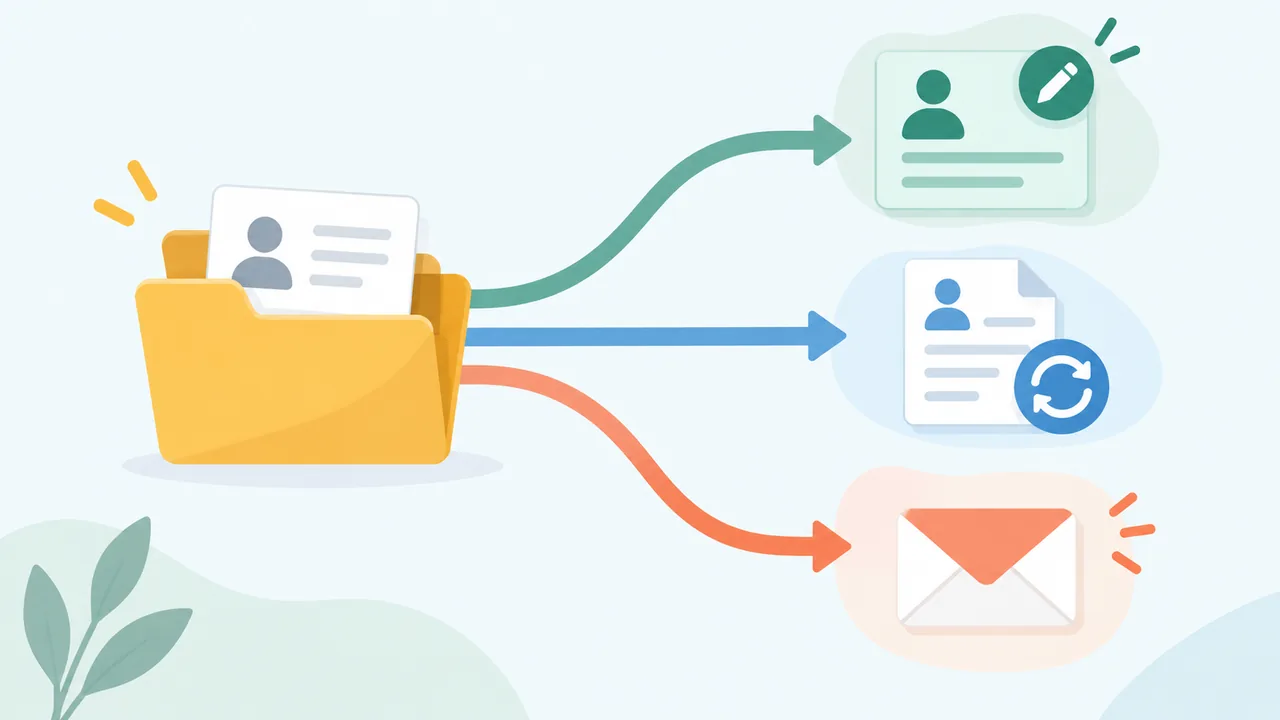
Check the application’s own controls before sending a second copy
Some portals provide a way to edit an application, replace an attachment, or withdraw and resubmit. Others show a read-only status page. Some employers may permit corrections only through their recruiting contact. Do not assume that one platform’s behavior applies to another, or that an edit button for your account edits a specific application.
Start from the application confirmation email or the employer’s careers site. Sign in using the address you used to apply. Open the specific role and look for controls such as “edit application,” “update documents,” or “replace resume.” Read the surrounding text. A button may update profile information, start a new application, or withdraw the old one rather than revise it.
Before using an edit or resubmission control, check what it says will happen. Does it identify the particular job? Does it show the current attachment? Does it ask you to confirm a replacement? Does it warn that you cannot undo the action? Does it say an edited application will be resubmitted or create a new record? If the consequences are unclear, stop and ask the employer rather than clicking through to find out.
When a platform gives an application-specific edit function, use that function first. It is the strongest exception to the general rule that profile updates may not change past submissions. Keep the confirmation or take a private note of what the screen said and when you made the change. A completed change should be visible in the application, not merely in the reusable profile.
Greenhouse’s FAQ illustrates the difference between account and application controls. It describes profile edits for future applications and says candidates must contact the employer for corrections to information already sent. It also notes that an earlier resume may not be visible in MyGreenhouse and that the most recently uploaded resume is used by default for Quick Apply. In that setting, seeing a new resume in the profile is not evidence that a past submission now contains it. Greenhouse candidate FAQ
If you cannot see the application, do not immediately submit again. The application may have been made through a different site, shared under another email, or not made visible in the tracking portal. Check the original confirmation email, the employer’s careers page, and any third-party site you used. If you still cannot locate it and the issue matters, contact the employer with the role and approximate submission date. Greenhouse notes that some applications may not appear in MyGreenhouse, including those submitted through third-party sites or with a different email address. That is an example of one portal’s limits, not a guarantee about all systems. Greenhouse candidate FAQ
Decide whether the change is important enough to correct
Not every change deserves a message. A correction is useful when it makes the application more accurate, prevents a practical problem, or replaces a document the employer should not rely on. A cosmetic adjustment to your profile is usually better saved for future applications.
Ask three questions:
- Is the submitted information wrong or just no longer current? A misspelled email address is wrong in a way that may stop the employer reaching you. A preference you changed after applying may simply be new information.
- Could the difference affect how the employer evaluates or contacts you? A resume with the wrong job dates, a missing required credential, or an inaccessible contact number is more consequential than a revised summary sentence that does not change the facts.
- Can the issue be fixed through the application itself? If yes, use the supported control. If no, contact the employer only when there is a concrete correction to make.
This test helps you avoid both extremes: staying silent about a material error and sending a flurry of updates for every small improvement. The goal is not to keep the employer’s copy synchronized with every change in your career. It is to make sure the submission for this role is accurate enough to stand on its own.
Examples of changes that often deserve a correction request
- Wrong or inactive contact details: The employer may be unable to reach you. If the application is tied to an incorrect email, say so clearly and provide the address you can access.
- Wrong resume attachment: You attached another person’s document, an obsolete file with materially different facts, or a version missing information the application required. Ask whether the employer can replace it or accept a corrected file.
- A factual error: You noticed that a date, job title, education detail, or credential status is inaccurate. Correct the specific fact. Do not use the correction as an excuse to inflate the claim.
- A required item was omitted: The job instructions requested a particular document or response, and the portal appears to have accepted the application without it. Ask whether the employer can add it and whether it still wants the material.
- Your name changed or was entered incorrectly: If it affects identity, application matching, or contact, request a correction through the employer’s stated process. Keep any explanation brief and disclose only what is necessary.
Examples that usually belong in the profile, not a correction email
- You have changed your preferred job titles or work locations for future searches.
- You rewrote a resume bullet without changing its underlying claim.
- You added a new project after submitting, and the application did not ask for ongoing updates.
- You changed your profile photo, portfolio layout, or public headline.
- You would now choose a different resume design, but the submitted document is readable and accurate.
There are exceptions. A new credential could be relevant if the posting requires it and you earned it before the employer makes a decision. A new phone number is worth communicating if the old one no longer works. But a later development is not automatically a defect in the earlier application. State when the new information became true; do not rewrite history to make it appear that you had it at submission time.
Correct the resume without creating a muddled record
If you need to send a new resume, make the replacement easy to identify and the change easy to understand. Do not send several files with vague names, or write a long apology that hides the action you want the employer to take.
First, verify the new file. Open it and check the name, contact details, dates, role titles, and relevant sections. Make sure it is the intended version, that the pages render as expected, and that no comments, tracked changes, or unrelated personal information remain. If the application specified a file format or other document requirements, follow those instructions. The corrected version should fix the stated issue without introducing a new one.
Use a descriptive filename such as Jordan-Lee-Resume-Product-Analyst.pdf, rather than resume-final-new-2.pdf. The filename is a practical label; it does not prove the employer has accepted a replacement. Keep your own copy of the exact file you sent, plus the message or confirmation associated with it. If you create a PDF from a resume editor, inspect the exported PDF before you attach it. At resumetemplate.co, editing and downloads are free, and PDF creation uses your browser’s print dialog. Check that the saved PDF is the intended document before sending it.
Then ask for the smallest action that resolves the problem. You might ask whether the employer can replace the attachment, add the corrected file to your application, or advise whether it wants you to use a portal control. Do not demand that the employer delete every prior copy unless that is the actual issue and you have a reason to request it.
A corrected document does not erase the earlier one automatically. The employer may keep both, use one, or tell you it cannot update the record. Ask which version the team should consider. If the corrected file changes important claims, identify the change in plain terms so the reader does not have to compare both resumes line by line.
A hypothetical example: the wrong resume file
Hypothetical example: Priya applies for a reporting role and accidentally attaches a resume prepared for a different role. The file is hers and contains true information, but it omits relevant reporting work and leads with unrelated experience.
Priya checks the application page. It shows “submitted” and has no edit or attachment-replacement control. She prepares one corrected resume, confirms the role and contact details, then emails the recruiting contact listed in the posting. She says the attachment was the wrong version, identifies the role and date, attaches a clearly named replacement, and asks whether it can be added to the application. She does not say the new version is the only one the employer can see, because she cannot know that.
If the original file contained materially false information or another person’s private details, the reason to contact the employer is more urgent. Keep the explanation factual and ask what to do about the file already received. Do not attach extra documents or personal explanations that are unrelated to the correction.
Contact the employer with a focused correction
When the application itself cannot be changed, contact the company that received it. Use the channel the job posting or application confirmation provides: a recruiting contact, application support address, or candidate portal message function. Avoid sending the same request to several employees unless the company directs you to do so.
Give the reader enough detail to find the record: your name as submitted, the job title, the location or requisition number if available, the date you applied, and the email address used in the application if relevant. Then state the correction in one sentence. If you are replacing a resume, attach one file and name it clearly. Ask a direct question about whether the correction can be added or whether the employer prefers another process.
Do not send sensitive information through an unverified channel. If the correction involves identity documents, health details, financial information, or another sensitive matter, use the secure method the employer specifies. A routine resume correction rarely requires you to include a birth date, national identification number, home address history, or unrelated personal explanation.
Example message for an updated phone number
Subject: Contact detail update - [Role title] application
Hello [Name or Recruiting Team],
I submitted an application for [role title] on [date] using [email address]. The phone number on that application is no longer active. Please use [new number] if you need to reach me. Could you let me know whether this can be added to my application record?
Thank you,
[Name]
Example message for a replacement resume
Subject: Corrected resume for [Role title] application
Hello [Name or Recruiting Team],
I applied for [role title] on [date]. I attached the wrong resume version to my application. I’ve attached the correct version, named [filename]. Could you please let me know whether it can be added to the application, or if you would prefer that I use another process?
Thank you,
[Name]
These are templates, not magic words. Replace the brackets, remove anything that does not apply, and keep the message short. Do not claim that a portal malfunctioned unless you observed one. Do not say “please disregard all previous versions” if you do not know whether the employer can remove them. Ask for the outcome you need, then let the employer explain what it can do.
A response may take time, and you may not receive confirmation. Keep the sent message and attachment in your records. If the employer replies with a specific instruction, follow it. If there is no response, avoid repeated daily follow-ups. A single reasonable follow-up may make sense if the correction is material and the posting gives a contact route, but no message can guarantee that the employer will amend the record or consider a replacement.
Handle a wrong email or account carefully
A wrong email address is more than a profile cleanup task. It can prevent you from receiving confirmation or being matched to the correct account. Do not create multiple submissions immediately unless the employer’s instructions tell you to do so.
Check the confirmation email, if any, and identify the address used. If you cannot access that address, contact the employer directly with your name, role, approximate submission date, and the correct email address. Ask whether it can update the contact details or link the application to the correct account. Avoid including passwords, verification codes, or unnecessary personal data.
Greenhouse states that it cannot change the email on a submitted MyGreenhouse application and directs candidates to contact the employer, or reapply with the correct email if the posting is still open. That is specific to Greenhouse’s process. Do not assume another platform has the same limit, and do not treat reapplying as a universal solution. A second application might be treated as a duplicate or might not replace the first one. Follow the employer’s response. Greenhouse candidate FAQ
If you created two accounts with different emails, use the one the employer can associate with the application when you ask for help. A profile update on one account may not repair an application submitted under another. Give the employer enough information to distinguish the records without sending a full set of identity documents unless it requests them through a secure route.
If the application appears under the wrong candidate profile or someone else’s details were attached, state that plainly. Do not keep editing the profile in the hope that a historical submission will sort itself out. A clear, prompt request is more useful than a string of unexplained account changes.
Keep a record of what you sent
A candidate should retain a small, private record of each application and any correction. This is not about building a complicated tracking system. It is about knowing what version you sent and avoiding contradictory follow-ups.
For the application, note the employer, role, submission date, account email, resume filename, and any application-specific confirmation. Save the exact resume PDF or document you submitted. If you requested a correction, keep the message and the version attached. Note whether the portal showed an edit confirmation or whether the employer replied.
This record helps when an interviewer asks about a bullet in the submitted resume, when the employer refers to an earlier version, or when you need to explain what you corrected. It also prevents a common mix-up: sending the latest resume to a role when the employer is discussing the version submitted weeks ago.
Do not store more personal information than you need. Protect the files and messages as you would other job-search records. If you use an online editor or a sharing link, understand what the link reveals. For example, resumetemplate.co keeps resumes in the browser on the device by default; a shared link is a snapshot, and contact fields and photo are excluded by default. That can be useful for creating and managing a resume, but it does not update an application you already sent to an employer.
Before the next application, refresh the reusable profile
A reusable profile saves time only when you treat it as a starting point, not a substitute for reviewing each application. After a correction, update the profile so that future forms do not repeat the same old detail. Then, before submitting another application, compare the autofilled answers and attachment with the job-specific version you intend to send.
Use this sequence:
- Correct the reusable profile. Update details that should be current for future applications, such as a working phone number or current resume file.
- Review the role-specific form. Do not assume the form has imported every profile change or that its fields are accurate. Check each answer before submission.
- Confirm the attached file. Open the attachment preview or verify the filename and, where possible, the file itself. A recent profile upload is not necessarily the file selected for a particular application.
- Submit once, then save the confirmation. Keep the confirmation and a copy of the exact document you sent.
- Check the submitted application, not just the profile. If the portal lets you revisit the application, verify the role-specific information it displays. If it does not, preserve the confirmation and contact the employer only when there is something material to correct.
Greenhouse’s candidate FAQ specifically advises candidates to review and edit information before saving a profile and before submitting applications, because resume parsing can make mistakes. That supports a practical habit: review imported fields before submission instead of trusting a reusable profile or automatic extraction without checking. It does not establish that every platform parses resumes the same way. Greenhouse candidate FAQ
If you want a cleaner resume before your next application, choose a design that makes the information easy for a person to scan and export a document you can inspect. A template cannot correct an inaccurate profile, make a past application editable, or establish that an employer received a particular version. The application’s own instructions still govern. You can browse the resume templates or edit a resume, then review the final file before you upload it.
A concise correction checklist
Use this checklist when you notice a profile or resume change after applying:
- Identify exactly what changed: profile-only, application answer, contact field, or uploaded document.
- Open the specific application, not only the account profile.
- Read the employer’s instructions and look for an application-specific edit or replace control.
- Use that control only if it clearly applies to the submitted application and explains what it will change.
- If no suitable control exists, decide whether the original is materially inaccurate or creates a practical problem.
- Contact the employer through the stated recruiting or application channel when the submitted record needs a correction.
- Include the role, submission date, name used, and only the information needed to locate the application.
- Attach one verified replacement file if needed, and ask whether it can be added or should be submitted another way.
- Save the message, file, and any confirmation. Do not assume a profile change or email attachment has replaced the original record.
- Update the reusable profile afterward so future applications begin with current information.
The central distinction is worth remembering: your account can be current while a past application is not. Make the profile update, but verify the application separately. When the submitted record itself needs to change, follow its edit controls or ask the employer who received it.
Frequently asked questions
If I replace my resume in my account, does the employer get the new one?
Not necessarily. An account-level replacement may change the resume available for future applications while leaving an earlier submission as it was. Look for an application-specific confirmation or ask the employer. Greenhouse says the most recently uploaded resume is used by default in MyGreenhouse and notes that the resume submitted with an earlier application may not be visible in the portal. Greenhouse candidate FAQ
Should I update my profile even if I cannot change the old application?
Yes, if the profile contains information you want to use for future applications. Just keep the two actions separate in your mind: updating the profile prepares future submissions; correcting a past one requires an application control or communication with the employer.
Should I withdraw and apply again with the right resume?
Do not withdraw or reapply unless the portal or employer says that is the correct process. A new submission may not replace the old one, and withdrawal may remove you from consideration. If an application-specific control clearly offers replacement, use its instructions. Otherwise ask the employer what it prefers.
What if I cannot see the earlier resume in my portal?
Check any confirmation email or the local copy you saved when applying. If the portal does not show the earlier attachment, do not assume the latest profile file is what the employer received. Greenhouse explicitly notes that an earlier submitted resume may not be visible in MyGreenhouse. For another platform, check its help guidance or contact the employer.
Do I need to tell the employer about every profile change?
No. Correct material errors and changes that affect contact or the accuracy of the application. Routine updates to preferences, wording, or future resume versions usually belong in your reusable profile. Avoid sending an employer changes that do not affect the submitted record or the decision it is being used to make.
What if the employer does not reply?
Keep a copy of your request and the file you sent. If the correction is important, the employer’s stated process permits follow-up, and a reasonable interval has passed, send one brief follow-up through the same channel. You cannot guarantee that the employer will amend the application or use the new file, so continue to describe your submitted version honestly if asked.