One Job Fair, Several Possible Roles: Prepare a Resume You Can Explain
For a job fair where you are exploring several related roles, bring one coherent baseline resume and make a small number of role-specific versions only when the jobs genuinely call for different evidence. Prepare a short explanation for each version, ask questions before treating a conversation as an application, and check every printed or shared PDF.

Start with a baseline, not a stack of guesses
The best starting point is one accurate resume that represents your experience as a whole. Tailor a copy when a role or role cluster calls for a different emphasis, not merely because you have found another job title. If a recruiter asks why you are considering several paths, you should be able to answer without pretending you have already chosen one.
A career fair compresses many conversations into a short stretch of time. You may meet employers with different openings, talk to a representative who is not a hiring manager, or discover that a job title means something different at one organization than at another. You need room to explore. You also need a resume that does not promise a direction you cannot defend.
Harvard’s Mignone Center for Career Success recommends tailoring a resume to the type of position you are seeking and reflecting the skills an employer values. That is a useful principle, not a command to create a new document for every possible opening. At a fair, you may not yet know which opening is the right target. Start with truthful, relevant evidence, then adjust the emphasis when the conversation gives you a reason to do so. Harvard College Guide to Creating a Strong Resume
Think in terms of three layers:
- Baseline: Your current, accurate account of education, experience, projects, skills, and contact details.
- Role-cluster copy: A version that brings forward evidence relevant to a genuinely related group of roles.
- Formal application copy: A version checked against one specific opening and its application instructions.
The baseline is your source of truth. Role-cluster copies are practical derivatives. A formal application copy is a deliberate response to a known opportunity. Do not confuse a stack of documents with a strategy.
A simple test helps: if you would need to tell a different story about your background to justify each resume, you may be making too many versions. If you can explain the common thread in one clear sentence, a shared baseline may be enough.
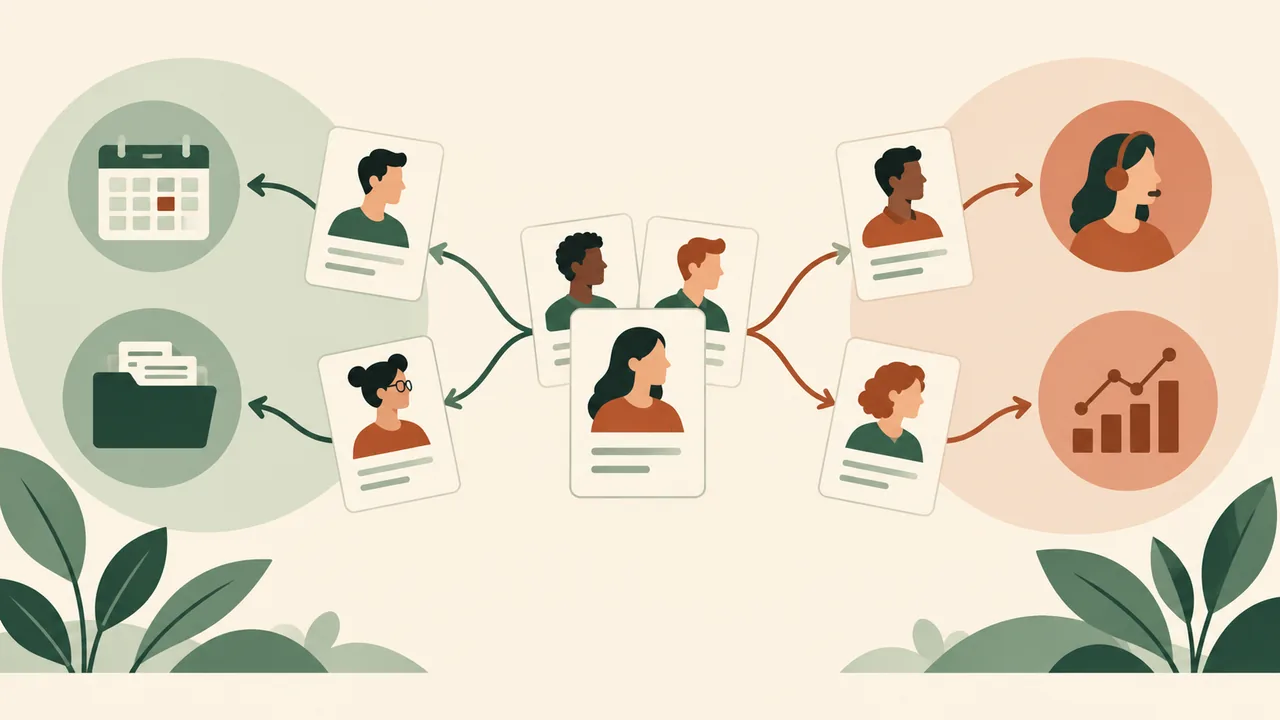
For example, imagine a hypothetical candidate with experience scheduling volunteers, tracking supply requests in spreadsheets, and answering questions at a community event. That person might explore both operations coordination and customer support. The evidence overlaps: organization, accurate record keeping, and clear communication. A baseline resume can carry that evidence. A role-cluster copy could reorder sections or give one relevant example more space. Neither version should claim formal operations or customer-service employment if the candidate has not held those jobs.
The resume does not need to solve your entire career question before you walk into the venue. It needs to make your real evidence easy to discuss. That is a better goal than trying to predict every employer’s preferred keyword or carrying a bespoke version for every speculative opening.
When should you make more than one resume?
Make another version when a distinct role cluster changes which truthful evidence deserves the reader’s attention. Do not make another version just to change the headline, sprinkle in new terms, or make yourself look committed to a job you are still investigating.
A role cluster is a small group of positions that use substantially similar skills. “Customer support” and “customer success associate,” for instance, may share communication, issue tracking, and follow-through. Whether they belong in one cluster depends on the actual duties, not just the names. A customer success job centered on data analysis and renewals may call for different evidence than an entry-level support desk role.
By contrast, a laboratory technician role and a sales role may require different evidence, even if both appear at the same fair. If you have credible experience that supports both directions, two versions can help each reader find it. If you do not, two versions cannot manufacture it.
Ask four questions before creating a separate file:
- Are the duties meaningfully different? Compare the work itself, not only the titles.
- Would the strongest evidence change? Would a different project, responsibility, or skill move near the top?
- Would the section order change for a defensible reason? A relevant project may belong above unrelated work for one role, while another role calls for a different emphasis.
- Can you explain the change aloud? You should be able to point to an actual experience and explain why it matters to that role.
If the first three answers are “no,” keep one resume. If they are “yes,” make a role-cluster copy and use the fourth question to check its honesty.
The quick table below is a decision aid. Its examples are hypothetical, not claims about a particular employer or candidate.
| Situation at the fair | Resume choice | What to emphasize | What to say |
|---|---|---|---|
| Several roles share the same core duties | One baseline, lightly tailored in conversation | The evidence that applies across roles | “I’m looking at roles where organization and clear communication matter. Which opening would make the best use of those strengths?” |
| Two related roles differ in their daily focus | One baseline plus a role-cluster copy, if the evidence supports both | Reorder or expand the evidence most relevant to each cluster | “I have a version that foregrounds coordination work, and another that gives more space to direct customer contact.” |
| Two functions have distinct evidence and audiences | Separate, clearly named copies | Different genuine projects, responsibilities, or training | “I’m exploring both areas. These copies emphasize different parts of my experience, and I’d like to understand where the team sees a fit.” |
| You are unsure what the job title means | Baseline first; tailor later | Broad, relevant evidence you can substantiate | “Could you describe a typical week in this role before I decide which experience to highlight?” |
| The representative asks for a formal application | Follow the employer’s process, then prepare a copy for that opening | The job’s stated requirements and your closest truthful evidence | “I’ll review the posting and submit the version that matches the role.” |
| The two versions differ only in keywords or claims | One version; remove unsupported changes | Accurate language for work you have actually done | “I want to understand the role better before I describe my experience more specifically.” |
The important distinction is between emphasis and identity. Emphasis changes what you show first. Identity would imply that you have done work, earned a credential, or made a decision that is not true.
You can adjust emphasis by moving relevant projects higher, revising a summary to describe a real direction of interest, or clarifying a transferable skill. You should not turn “helped organize a club event” into “managed event operations” if that wording suggests a scope or authority you did not have. A job fair is a chance to find out what employers need, not a reason to inflate your history.
A recruiter may ask which role you want most. If you have a preference, state it and explain why. If you do not, say what you are exploring and what evidence connects the options. “I’m considering operations coordination and customer support because I enjoy organizing work and helping people get clear answers. I’m still comparing the day-to-day responsibilities” is more useful than a vague claim that you are open to anything.
The exception to the one-baseline default is real: if a fair brings together distinct functions and you have credible evidence for both, separate role-specific copies can make the conversation clearer. Keep the number small enough that you can tell which one you handed over and explain every meaningful difference.
Build the baseline from evidence you can discuss
A job-fair resume should make a useful conversation easier, not try to perform the conversation for you. Put the most relevant, verifiable evidence where a reader can find it, then prepare to add context when someone asks.
Start with the material you already have: paid work, internships, education, training, volunteering, personal projects, or other responsibilities that show relevant skills. Choose evidence by asking what you actually did, what tools or methods you used, who depended on the work, and what changed as a result. If you do not know or cannot support a number, leave it out. A clear description without an invented metric is stronger than a precise-looking guess.
Suppose a hypothetical candidate helped a student group coordinate a monthly event. The candidate might truthfully describe scheduling volunteers, communicating updates, and maintaining a checklist. The candidate should not claim to have led a department, managed a budget, or improved attendance by a percentage unless those details are accurate and can be explained.
Use a short evidence worksheet before you edit:
- Experience: What was the setting, and what was your actual role?
- Action: What did you personally do?
- Skill: What ability did that action require?
- Proof: What detail can you point to if someone asks how you know?
- Boundary: What did you not do, decide, or own?
That last question matters. It prevents a resume bullet from taking credit for a team’s work or implying a level of responsibility you did not have. “Updated a shared inventory spreadsheet during weekly shifts” gives a recruiter something concrete to ask about. “Transformed inventory operations” makes a large claim and provides little detail.
Keep the resume readable and consistent. Harvard’s guide advises clear organization, consistent formatting, and checking how the document translates to PDF. Its general recommendations are useful, but the right order of sections depends on which evidence matters for your target. Harvard College Guide to Creating a Strong Resume
A baseline need not contain every line from your history. It should contain enough accurate material to support the directions you are honestly exploring. Remove information that distracts from those directions or takes space without helping a recruiter understand what you can contribute. Keep the longer record separately for your own use, then select evidence for the resume.
A profile or summary can help if it names a real area of interest and evidence behind it. It is not compulsory. Avoid a string of claims such as “dynamic, motivated, results-oriented professional” when the rest of the page has not shown what those words mean. A direct line is better: “Early-career coordinator with experience scheduling volunteers and maintaining event records; exploring operations support roles.” Use that only if it accurately describes you.
Skills sections need the same discipline. Include a tool or skill when you can describe where you used it. If you list a spreadsheet program, be prepared to explain the functions you used. If your experience is basic, call it basic or leave out the proficiency label. Do not borrow job-description language that suggests a level of expertise you cannot demonstrate.
A useful baseline gives you choices without pretending that all choices are equally strong. If your experience clearly supports one role and only loosely touches another, say so. You can still ask about the second role. The resume does not have to claim equal fit in order to open an exploratory conversation.
Tailor a copy without changing the facts
Tailoring should change relevance, not truth. Begin with the posting or the employer’s description, identify the work it emphasizes, and select the closest evidence you have. When the description is vague, use the conversation to learn more before making a narrow edit.
The basic sequence is simple:
- Find the work behind the title. Note recurring duties, tools, audiences, and responsibilities in the role description.
- Match each requirement to evidence. Write down a project, task, course, or responsibility that supports it. Mark items with no honest match as gaps, not as invitations to invent.
- Choose the strongest cluster. Group related requirements, such as record keeping, coordination, or customer communication.
- Reorder before rewriting. Move the most relevant evidence higher or make its connection clearer. This often helps more than rewriting every bullet.
- Edit only what you can defend. Use accurate terms and specific actions. Do not claim duties, tools, credentials, outcomes, or levels of responsibility you did not have.
- Check the result aloud. Explain each changed line as if the recruiter asked, “What did you do here?”
For a role-cluster copy, you may change the order of sections, the selection of bullets, or a short profile. You may shorten less relevant material if doing so improves the reader’s view of relevant work. Keep dates, titles, employers, qualifications, and factual claims consistent across copies unless correcting an actual error.
Imagine a hypothetical person who has worked part-time in a campus store and volunteered at a community help desk. For a retail operations opening, the person might foreground shift handovers, stock checks, or careful records, if those were real duties. For a customer-support opening, the person might bring forward answering questions, listening, and referring a problem to the right staff member, if that is what actually happened. Both resumes can draw from one work history. Neither needs to invent a formal job title or a measured result.
The strongest wording is usually the most explainable. “Answered visitor questions and directed them to the relevant service desk” tells a reader what happened. “Delivered exceptional customer outcomes” sounds more polished but says less. If you did not track a result, do not manufacture one to make the bullet feel complete.
At the fair, you may learn new information that changes which evidence is relevant. That is not inconsistency. It is a reason to review a copy after the conversation. If a representative explains that a role is mostly data entry rather than customer interaction, you can update the formal application version later. Do not scribble an unverified job keyword into the resume and hand it out as if it describes experience you already have.
Tailoring also has limits. A resume cannot establish that you have experience you lack, answer every question about fit, or guarantee that a document will be interpreted in a particular way by a reader or software. Its job is narrower: to present relevant facts clearly enough to support the next conversation or application step.
Prepare a short explanation for exploring several roles
Your explanation should connect the roles through evidence or a genuine question. Do not memorize a grand career story you do not believe. A short, honest answer can show direction while leaving room to learn.
A practical introduction has four parts:
- Who you are in a few words.
- The kind of work you are exploring.
- One piece of relevant evidence.
- A question that helps you understand the employer’s opportunity.
For instance, a hypothetical recent graduate might say: “I studied business administration and have experience organizing volunteer schedules and keeping records for a student group. I’m exploring operations support and customer-facing coordination roles. How does your team divide those responsibilities?” This introduction does not say the candidate has already worked in operations. It gives the representative a reason to explain the job.
If you have two distinct resume copies, name the distinction plainly. “This copy highlights my scheduling and record-keeping experience; this one gives more space to public-facing work. I’m looking at both areas and would appreciate your view on which opening fits better.” That is enough. You do not need to apologize for exploring, and you should not pretend your exploration is a firm commitment.
Berkeley Career Engagement suggests preparing a brief introduction that states relevant basics and the types of roles you are interested in. It also recommends researching employers, preparing tailored questions, and being ready to discuss items on your resume. Those suggestions support a useful rule: rehearse the structure, not a word-for-word speech. Tips for Success at Career Fairs
A rehearsed script can sound brittle when the representative asks a question you did not anticipate. Instead, practice answering these prompts in your own words:
- What types of work are you exploring?
- What experience led you to consider them?
- What would you like to learn about this opening?
- Which role would you choose if you had to prioritize today, and why?
- What kind of work is not a fit for you?
You do not need to disclose every uncertainty. You do need to avoid misleading certainty. If you are genuinely open to two related functions, state the connection. If you have a clear first choice, name it. If you are not ready to apply, say that you are gathering information and ask whether there is a formal process or a person you should contact later.
Keep the explanation aligned with the paper in your hand. If the resume foregrounds research projects but your introduction claims that direct customer service is your main strength, the mismatch invites confusion. You can explain the difference, but a coherent combination is easier to understand: “My project work shows analysis; my volunteer role shows the customer-facing part I am also exploring.”
A good conversation is not a performance of certainty. It is a focused exchange. You share enough relevant evidence to make the discussion concrete, then ask a question that can reveal whether the role deserves more of your time.
Treat a fair conversation as exploration until it becomes an application
A conversation at a job fair is not automatically a formal application. A recruiter may offer general information, invite you to apply online, ask for a resume, or conduct a structured screening. Those are different situations. Ask what the next step is before assuming that handing over a document has submitted you for a job.
Use the conversation to discover the employer’s process:
- Is there a particular opening the representative means?
- Is the resume being collected for that opening, for a talent pool, or for general discussion?
- Does the employer require an online application as well?
- Is there a specific version or document format the employer requests?
- Is the person at the booth able to answer role questions, or should you contact another team member?
You can ask these questions without sounding hesitant. “I’d like to understand the process. Should I apply through the posting as well as leave a copy here?” is direct and practical.
If the representative describes a role you have not seen before, do not rush to claim a match. Ask about its normal responsibilities, the skills used in a typical week, and how the team distinguishes it from related roles. Then decide whether your baseline or one of your role-cluster copies best supports the conversation.
If the employer requests a resume, use the version that matches the discussion and that you can explain. If the employer asks for a single resume or says to apply online, follow that instruction. The employer’s application steps take priority over your fair-day preference for a printed copy. Do not assume that a paper handoff replaces a required application.
A useful boundary separates interest from application. “I’m interested in learning more” is not the same as “I am applying for this position.” A fair may include both kinds of conversations. Make the distinction explicit when needed, especially if you are still comparing roles or have not reviewed the full requirements.
After each meaningful conversation, write down the role name, representative’s name if offered, what you learned, and any promised next step. Do it before visiting the next table. Berkeley recommends keeping notes on follow-up contacts, employer information, and timelines because a representative may not be able to answer every detailed question at the fair. Tips for Success at Career Fairs
Your notes also help prevent a common failure: sending the same generic follow-up to everyone and forgetting what each person said. A short note such as “operations assistant, mostly purchase records, apply online by Friday; ask about spreadsheet experience” gives you a concrete next action.
If a conversation turns into a formal screening, slow down enough to be accurate. Answer the question asked. If you do not know a detail, say so. If a representative asks whether you can perform a task you have not done, distinguish your related experience from direct experience. “I have maintained shared records, but I have not used your inventory system” is more useful than a confident guess.

Print and digital preparation are separate jobs
Prepare both a usable print copy and a reliable digital version if the fair’s format calls for them. A perfect file on your phone does not help if the venue expects paper and the battery is dead. A neat stack of paper does not help if the employer’s process requires an online application.
Start by checking the fair instructions. Some events use employer portals, QR codes, appointment systems, or advance uploads. Others are primarily in person. Requirements vary, so use the event’s current directions rather than assuming every fair works the same way. Berkeley’s guidance, for example, separates in-person and virtual preparation and describes platform-specific steps for its own virtual fairs. Those instructions are useful examples, not universal rules for every event. Tips for Success at Career Fairs
For print copies:
- Export or print the version you mean to bring. Do not rely on an old file with a similar name.
- Open the PDF and inspect every page at normal reading size.
- Confirm that text is not clipped, crowded, or pushed onto an unintended extra page.
- Check that contact details, dates, headings, and bullets remain legible.
- Print one test copy if you can. Review margins, contrast, and page breaks on paper.
- Bring enough copies for your planned conversations, plus a modest spare if carrying them is practical.
- Keep distinct versions in clearly labeled folders or envelopes so you do not hand out the wrong one.
There is no universal number of copies that fits every event. Estimate from the employers you plan to visit and whether they accept paper. Avoid printing a large pile of speculative versions just because a generic guide recommends a fixed quantity. More copies can become clutter if the fair uses online applications or if you have not yet decided which roles deserve a tailored document.
For digital copies:
- Save the intended PDF where you can find it without searching through unrelated files.
- Use a descriptive filename that identifies you and the role cluster, such as
Jordan-Lee-Operations-Resume.pdf. Do not put confidential details in the filename. - Check that the file opens on your device and that the version date or content is current.
- Keep a backup route, such as a copy in an accessible storage location or a second device, if that is appropriate for you.
- Use only the employer’s requested submission method. Avoid sending personal documents through an unverified channel.
- After uploading, confirm that the correct document appears in the application system if the system provides a review screen.
A PDF is a fixed-layout document, but that does not make it self-checking. Exporting can change spacing, fonts, page breaks, or symbols. Open the actual file you plan to share. Check the file name, not just the document title in your editor. If you make a last-minute edit, create a new PDF and inspect it again.
When creating a PDF through resumetemplate.co, editing and downloads are free, and the PDF uses the browser print dialog. The resume remains in that browser on that device; there is no central resume database or cross-device sync. If you choose that editor, save a local JSON backup and keep the PDF you intend to bring somewhere you can access it. The browser’s print dialog is the final step to inspect, not a guarantee that the saved PDF looks right.
If you need to change a detail at the fair, do not edit a printed copy by hand unless the correction is small and the result remains clean. A crossed-out phone number or handwritten job title can raise avoidable questions. Make a corrected file, inspect it, then print or share the new version. If that is not possible, use the accurate copy you have and explain the correction verbally.

Choose a resume design that supports quick reading
Choose a design that makes your name, contact details, section labels, and relevant evidence easy to locate. The best template for a fair is not the most distinctive one. It is the one you can print, read, discuss, and reproduce consistently across your copies.
A recruiter may look at your resume briefly while talking with other people. Make the page easy to scan: consistent headings, clear spacing, readable type, and a logical order. Avoid decorative choices that compete with your actual evidence. This does not mean every resume must look identical. It means design should support the reading task rather than create a puzzle.
If you are handing out role-cluster copies, keep their overall structure similar. A representative who sees two versions should be able to tell that they describe the same person. Keep dates, contact details, education, and factual history aligned. Let the evidence selection and order change where the role justifies it.
Do not use color or graphics to imply an expertise you do not have. A skill bar that says “90% communication” is not a useful measure unless it has a real, defined basis. A simple skills list with examples is easier to discuss. The same goes for ratings, badges, icons, or labels that take space but do not show what you did.
The gallery at resumetemplate.co/templates offers free designs across ten collections. You can edit and download a resume using the free resume editor. Choose a layout that suits your content, then test the exported PDF in the browser print dialog. Template availability does not establish that a design will be accepted by a particular employer or interpreted in a particular way by an application system.
Keep the design decision subordinate to the evidence decision. A template cannot make an unrelated experience relevant, and a visually polished page cannot repair an exaggerated claim. Use the design to help a reader find the real evidence you want to discuss.
Make virtual fairs feel deliberate, not improvised
For a virtual fair, prepare the resume and the conversation in advance, then check the platform’s current requirements. Digital events can involve registration, profile settings, scheduled sessions, file uploads, or live group conversations. The exact steps belong to the event platform, not to a universal job-fair checklist.
Before the event, confirm:
- Whether you need to register separately for the fair and for employer sessions.
- Whether the employer wants a resume uploaded, shared in chat, or submitted later through its own site.
- Which version is visible to employers, if you can control that setting.
- How to join the session and whether the platform requires a particular browser or device.
- Whether you have a quiet place, working audio, and a stable enough connection for the conversation.
Berkeley’s virtual-fair instructions describe checking the fair dashboard, reviewing sessions, testing technology, and taking notes during conversations. Platform details can change, so check the instructions for the specific event rather than treating any school’s guide as a universal platform manual. Tips for Success at Career Fairs
Keep your digital setup simple. Have the relevant PDF available, but do not share your screen or send a file until you know the representative wants it. If the session has a chat box, verify the recipient and the message before attaching a document. A wrong attachment can expose personal information or create confusion that a good introduction cannot fix.
A virtual setting makes it easier to keep notes, but do not let note-taking replace listening. After the conversation, write down the role, the important detail, and the next step. If a group session includes several people, keep your question brief and appropriate to the group. Save a personal follow-up for a direct conversation or the employer’s stated process.
Your introduction can remain the same in substance across in-person and virtual settings. State what you are exploring, give one piece of evidence, then ask a question. The delivery changes; the honesty standard does not.
After the fair, turn exploration into a deliberate next step
Do not send every conversation the same resume and a vague message. Review your notes, decide which opportunities deserve action, and prepare a specific application copy for the roles you choose.
Within a reasonable time after the event, sort your conversations into three groups:
- Apply: You found a specific opening and understand how to submit an application.
- Learn more: You need a detail, contact, or team conversation before deciding.
- Not a fit now: The work does not match your interests or current evidence.
This sorting is not a judgment about your ability. It keeps a useful conversation from turning into a forgotten promise. For the “apply” group, read the full posting and use the employer’s application process. Tailor the resume to the actual role, not just the short description you heard at a booth.
For “learn more,” write a focused follow-up question. “You mentioned that the coordinator role works closely with the service team. Could you point me to the job description or explain how the responsibilities are divided?” is better than “Please let me know if anything is available.” If the representative shared contact details and invited follow-up, refer to the specific conversation and keep the note concise.
For “not a fit now,” you do not need to apply out of politeness. You can thank the representative and move on. If a related opening appears later, your notes may help you decide whether to revisit the employer.
Before you submit a formal application, create a copy for the specific role. Check the title, requirements, and evidence against the posting. Remove any line that is no longer relevant or that you cannot explain. Confirm the PDF and file name, then follow the requested submission steps. If you are using more than one version, keep a simple record of which one went to which employer.
A useful tracking note might include the employer, role, date, representative, resume version, application link, and next action. Avoid recording sensitive personal details that you do not need. The point is to remember commitments and keep documents straight, not to build an elaborate database.
A follow-up message should be specific enough to show that you paid attention. For example, a hypothetical candidate might write: “Thank you for explaining how the service coordinator role works with the scheduling team. I’m reviewing the posting and will apply through the company site. Your note about the role’s weekly reporting helped me identify which project experience to highlight.” Use such a message only if it reflects what was actually discussed.
The fair is one source of information, not a substitute for checking the real opening. Roles can change, postings can close, and a representative may not know every detail. Confirm the application instructions before you send anything, and treat a conversation as an invitation to learn unless the employer clearly tells you that you have entered a formal process.
Common mistakes that make a flexible resume less credible
The most damaging mistake is not having more than one version. It is making versions that imply different facts or intentions you cannot explain. A flexible resume can be focused without pretending you have already become a different candidate for each employer.
Mistake: carrying a resume for every imaginable title. This creates version confusion and encourages superficial edits. Choose a baseline and only the role clusters supported by genuinely different evidence.
Mistake: changing a headline to sound committed. A headline such as “Experienced project manager” is inaccurate if your experience is limited to helping with a class project. State the real role or direction of interest instead.
Mistake: copying the job description into your bullets. Employer language can help you understand what matters, but copying it without matching evidence turns a resume into a claim you may not be able to support. Use your own accurate description of the work you did.
Mistake: claiming every skill as a strength. If a role asks for a tool you have never used, do not add it to your skills list. If you have adjacent experience, explain the boundary: you maintained spreadsheets, for example, but have not used the employer’s specific system.
Mistake: assuming a booth conversation equals an interview. It may be an introduction, screening, information exchange, or application intake. Ask what it is and what happens next.
Mistake: bringing only paper to a process that requires online submission. Read the event and employer instructions. Print copies if useful, but keep a digital route available when the process calls for it.
Mistake: trusting an uninspected PDF. The document in your editor is not necessarily the file you printed or uploaded. Open the final version and examine every page.
Mistake: handing out the wrong copy. Use descriptive filenames and simple labels. Before you give a resume to someone, check the version title and the details it emphasizes.
Mistake: treating uncertainty as a flaw. You can be exploring. The problem is not uncertainty; the problem is hiding it behind a claim of commitment that does not reflect your thinking. A clear question can be more valuable than an invented career narrative.
Mistake: following up without a next step. A note that says only “great to meet you” may be polite, but it does not move the search forward. Refer to one useful detail and state whether you plan to apply, ask a question, or simply thank the representative.
A simple correction for most of these errors is to pause before distributing a file. Ask: “What conversation is this document meant to support, and can I explain every line?” If you do not know the answer, use the baseline, ask a question, or wait until you do.
A compact checklist for the day of the fair
Use this checklist as a final check, not as a reason to keep polishing until the event begins. The goal is a resume you can use, plus a conversation plan you can adapt.
Before you leave:
- Choose one accurate baseline and only the role-cluster copies that serve a clear purpose.
- Check that every version has consistent contact details, dates, titles, and qualifications.
- Read every line aloud and prepare to explain the work behind it.
- Open the actual PDF files and inspect each page.
- Check the event instructions for printing, uploading, registration, or session requirements.
- Print a practical number of copies if the event uses paper; keep the corresponding files available if it uses digital submissions.
- Name files clearly and separate versions so you can distinguish them quickly.
- Prepare a short introduction and two or three questions for the employers you most want to meet.
- Bring a way to record names, role details, and next steps.
At each employer:
- Confirm which role or function you are discussing.
- Give a brief, truthful introduction.
- Point to one piece of relevant evidence rather than summarizing your entire history.
- Ask about the work, requirements, or application process.
- Offer the resume version that fits the conversation, if the representative wants one.
- Clarify whether the handoff is informational or part of a formal application.
- Write down the next step before moving on.
After the event:
- Sort opportunities into apply, learn more, or not a fit now.
- Review the complete posting before making a formal application copy.
- Submit through the process the employer specifies.
- Follow up with relevant details from the conversation.
- Keep a record of which resume version you sent.
You can use fewer steps if the event is informal. Keep the core checks: correct document, honest claims, clear conversation, and understood next step.
How resumetemplate.co can help you prepare
A free editor can help you organize a resume and produce a PDF, but the tool does not decide which roles fit your evidence. Use it to prepare a clean baseline, then make a small number of clear copies if you need distinct emphasis.
resumetemplate.co offers 100 free resume designs across ten collections. Editing, downloads, and local JSON backups are free. Resumes stay in the current browser on the current device, so keep your own backup if you need to move between devices. The PDF uses the browser print dialog; inspect the finished document before printing or sharing it. The editor does not provide cross-device sync or a central resume database. AI tailoring is paused.
You can compare layouts in the template gallery, make a resume in the free editor, or return to the resumetemplate.co home page to explore the site. Choose the layout that lets your evidence read clearly. Then make the final decision yourself: which role are you discussing, which facts support it, and what do you still need to learn?
A job fair rewards preparation, but not needless certainty. Bring a coherent baseline. Make a second version only when the work and evidence justify it. Ask questions before turning exploration into an application. Then leave with a clearer next step than the one you arrived with.
Frequently asked questions
Should I bring a different resume for each employer?
Usually, no. Bring a baseline resume and make a role-cluster copy when employers are hiring for meaningfully different functions that call for different evidence. If one employer has several related openings, one version may support the first conversation; tailor a formal application copy after you identify the specific job and review its requirements. Follow the employer’s instructions if it asks for a particular document or application process.
Is it bad to tell a recruiter I am exploring more than one kind of role?
No, as long as you explain the connection honestly. Name the roles or work areas you are considering, mention evidence that relates to them, and ask what the work actually involves. If you already have a clear preference, state it. Do not claim equal experience or commitment where neither is true.
How many printed resumes should I bring?
Bring enough for the employers you plan to visit if paper copies are useful at that event. There is no universal number. Check the event instructions, estimate the conversations you expect, and bring a modest spare if convenient. If applications happen online, prioritize having the correct PDF and following the required process.
Should I hand my resume to every booth?
Only if the representative wants it or the fair’s instructions encourage it. A short conversation and a relevant question can be more useful than distributing a document without context. Ask whether the employer accepts resumes at the fair and whether an online application is also required.
What if I do not know which role fits me best?
Use your baseline and ask questions about the work. Explain what you are exploring and which experience led you to consider it. You can decide later whether to make a tailored version or apply. Uncertainty is a reason to learn, not a reason to invent a more definite story.
Can I use the same resume for an in-person and virtual fair?
Often, the same underlying resume can work, but the event’s submission instructions may differ. Check whether the virtual fair requires an upload, a profile setting, a chat attachment, or a separate employer application. Confirm the actual PDF and use only the requested sharing method.
Should I include a photo on a resume for a job fair?
Use the conventions and instructions relevant to your location and employer. Harvard’s resume guide advises against including a picture in its general recommendations, but practices can differ by country and context. Do not add a photo just because a fair is in person. Check local conventions and any explicit employer instructions before deciding. Harvard College Guide to Creating a Strong Resume
What should I do if I gave someone the wrong version?
Correct the mistake plainly. If you have a way to contact the representative, send the right file with a short note identifying it and, if helpful, saying that it replaces the earlier copy. If you are still at the fair, offer the correct version and clarify the difference. Do not hide a material factual error; correct it.
Does a job-fair resume need to guarantee a particular result?
No resume can guarantee that an employer will respond, accept an application, or interpret a document in a particular way. Your practical aim is to present accurate, relevant information clearly and make the next conversation or formal application easier. Focus on what you can control: evidence, clarity, document checks, and follow-through.