Put a LinkedIn Link on Your Resume Only If the Profile Is Ready
Include a LinkedIn link on your resume only when the profile is current, relevant to the role, and consistent with the claims in your document. A bare link to an unfinished or contradictory profile adds a second record for someone to question, not useful evidence. If an application form separately requests your profile URL, provide it truthfully even when you leave it off the resume.

The best default: link only to a current, consistent profile
A LinkedIn link is optional on a resume. The University of Louisville Career Center lists a customized LinkedIn URL as an optional contact detail, alongside personal websites and digital portfolios. Its guidance does not make the link a requirement. The University of Oregon Career Center recommends keeping a profile current and says you can add its customized URL to a resume. Together, those recommendations support a practical rule: the URL earns space only if the page is worth opening and tells a compatible version of your work history. (University of Louisville Career Center; University of Oregon Career Center)
That is a decision about the usefulness and accuracy of a second record. It is not a claim that including LinkedIn improves your odds of being hired. The cited career-center pages offer resume and profile guidance, not evidence that a link causes better hiring outcomes.
Think of the two documents as related records, not duplicates. Your resume is a short, targeted document for a particular application. Your LinkedIn profile may hold a broader professional history, more explanation, or supporting media. Those differences are fine when they are intentional. They become a problem when dates, titles, credentials, or descriptions make the reader wonder which version is true.
Before you add the link, answer three questions:
- Can the intended reader open and identify the profile? The address should lead to your account, not a login error, the wrong person, or an old page you no longer maintain.
- Does the page support the claims this application depends on? Its visible content should not conflict with your resume's dates, titles, education, credentials, or ownership of work.
- Does the page add useful context? A fuller description, relevant projects, or a clear professional overview can help. A nearly empty page may add little beyond another place to inspect.
If all three answers are yes, include a clean, readable link in your contact area. If the page is simply under construction, leave it off until it is ready. You do not need to delay a sound resume while polishing every detail of your online presence.
The University of Oregon's career center suggests aligning profile experience with resume bullets or using short narratives, and it recommends regular updates as your experience and direction change. Its specific profile advice is written for its audience, but the underlying practical point applies broadly: a linked profile should be maintained, not abandoned as a one-time project. (University of Oregon Career Center)
Decision: a current, relevant, consistent profile is the best reason to include the URL. A polished-looking page is not enough if it tells a different story. A plain page is not automatically a reason to hide it if the link is requested elsewhere; it is simply a reason to avoid volunteering it on the resume until it helps.
Bare link, ready profile, or no link: compare the three choices
There are three sensible states, and they are not equally useful. A bare link is the weakest choice when the page is incomplete. A ready profile is the strongest optional addition. No link is the right choice when the page is irrelevant, out of date, inaccessible, or not something you want to share.
| Choice | Use it when | Main advantage | Main risk |
|---|---|---|---|
| Bare link to an unfinished or thin page | Rarely; perhaps only because a separate form asks for it | Gives the requested address without adding it to the resume | Invites a visit that provides little context or reveals incomplete information |
| Link to a current, relevant profile | The page is accurate, accessible, and adds context | Lets the reader see a broader or more detailed professional record | Any conflicting claim becomes easier to notice |
| No link on the resume | The profile is not ready, not relevant, or you prefer not to share it there | Keeps the resume focused and avoids an unhelpful click | The reader gets no profile-based context from the resume |
A bare link means the resume points to a profile that exists but is not yet ready to represent you. Perhaps the headline says you are seeking one type of work while your application targets another. Perhaps the Experience section has an old title, an unexplained date gap, or no description of the project named in your resume. The address can work technically while the page fails editorially.
A ready profile does not need to be elaborate or perfectly polished. It needs to be accurate enough to stand behind. A reader should be able to recognize your name, understand your relevant direction, and find a coherent account of the experience you chose to feature. If the resume gives a narrow, tailored selection and the profile gives more detail, that is normal. If the profile reverses or exaggerates the resume's claims, that is not.
No link is a valid choice, not an admission that something is missing. A resume can be complete without a LinkedIn address. Louisville's career center explicitly describes the URL as optional. The decision is not whether you have a profile; it is whether that profile improves this particular resume enough to justify the reader's attention. (University of Louisville Career Center)
Use this ranking:
- Best: include a current, relevant profile that agrees with the resume.
- Also sound: omit the link when the profile is unfinished, private by choice, or irrelevant.
- Weakest: include a link simply because other resumes do, without checking what a visitor will see.
There is one important distinction. Omitting a link from your resume does not mean you should leave a field blank when an application explicitly requests a profile URL. Answer the form's question honestly. More on that below.
What “match” means when the profile is broader than the resume
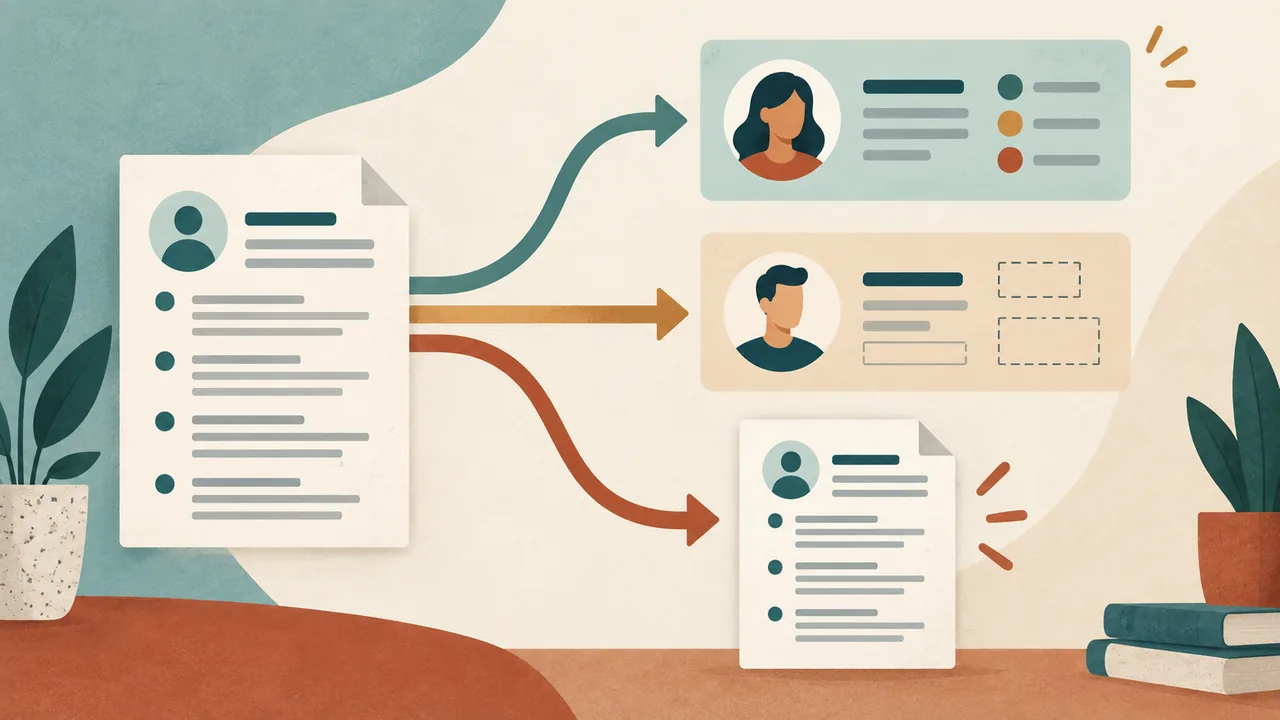
Matching does not mean copying every resume bullet word for word onto LinkedIn. A resume selects experience for one role. A profile may preserve a broader history, longer descriptions, additional projects, or a different arrangement. Exact duplication is unnecessary. Truthful consistency is not.
A useful test is this: could you explain the difference between the two versions in one straightforward sentence without changing the underlying fact? If yes, the difference may be a matter of scope or format. If you would need to say that one version is “sort of” accurate, or that the reader should ignore a number or title, edit before linking.
For instance, suppose a resume says “Operations Coordinator, Northside Clinic | 2022–2025” and LinkedIn says “Operations Coordinator, Northside Clinic | March 2022–Present.” If the person left in February 2025, that is a factual conflict, not a harmless formatting choice. The profile needs to be corrected before it is linked.
Now consider a different difference. The resume says “Coordinated weekly appointment schedules for a 12-person care team.” The profile says “Managed scheduling workflows, resolved calendar conflicts, and coordinated coverage with a 12-person clinical team.” If both descriptions refer to the same responsibilities and the number is accurate, the wording can differ. One is concise; the other supplies more explanation.
The test is about meaning, not matching punctuation. Compare the claims a reader could rely on:
- Identity: Does the name and professional context identify the same person?
- Dates: Do the start and end points describe the same period? Do present-tense claims remain current?
- Titles and status: Are official titles, promotions, contract status, and degree status described accurately?
- Scope: Does a longer profile description expand the same work, or quietly claim a larger role?
- Results: Are counts, percentages, budgets, team sizes, and outcomes supported by the same underlying facts?
- Ownership: Is it clear whether you led, contributed to, or supported the work?
- Permissions: Are linked files, images, dashboards, or project details yours to share publicly?
The University of Oregon Career Center encourages people to describe relevant experience on LinkedIn and advises getting an employer's permission before adding media that could be proprietary. That permission point matters even if the resume itself contains no confidential detail: a linked profile can expose extra material that your application does not. (University of Oregon Career Center)
Decision: let the profile add detail, not a second set of facts. Where the resume is intentionally selective, the profile can be broader. Where the resume makes a precise claim, the profile must not contradict or inflate it.
Check dates without forcing false precision
Dates are a common place for a mismatch because resumes and profiles may use different levels of detail. A resume might show years only to save space. A profile might show months. That difference is acceptable if both represent the same timeline. A month-level date that changes the employment period is not.
Use a simple reconciliation process:
- Choose a reliable record. Check your own employment documents, calendar, pay records, school records, or other information you can reasonably verify. Do not guess a month because a form makes it convenient.
- Write the dates in one private timeline. Note start and end month and year when known, plus whether the role is current, completed, part time, seasonal, contract, or overlapping another commitment.
- Compare each public version. Check the resume, LinkedIn Experience section, and any project or education entry that repeats a date.
- Resolve differences before sharing. If you know only the year, use the year consistently rather than inventing a month. If one format needs a month, make sure it is supportable.
- Check present-tense claims. A role marked “Present” should still be current on the date you send the application. Recheck it when you reuse the resume later.
Hypothetical example: month detail versus year-only dates
Hypothetical example, not a real candidate: A resume lists “Customer Support Associate, Cedar Services | 2021–2023.” The LinkedIn profile lists “Customer Support Associate, Cedar Services | June 2021–August 2023.” Those entries can be consistent. The resume compresses the period to years; the profile gives more detail. The person should use those months only if they are accurate.
The reverse can also be sound. A person who can confirm the years but not the months can list “2021–2023” in both places. They should not invent “January” simply to fill in a profile field. The goal is a truthful timeline, not the most granular timeline possible.
Hypothetical example: an outdated “Present” label
Hypothetical example, not a real candidate: A resume prepared in October says “Studio Assistant | 2022–2024.” The profile says “Studio Assistant | 2022–Present.” The person left the role in 2024, so the profile is stale. Update the profile before adding its link, or leave the link off while you correct it.
If you have overlapping roles, do not “fix” the dates by hiding a real overlap. Show each period accurately. Add enough context, such as part-time, seasonal, or contract, when the overlap might otherwise look confusing. The point is to make the timeline understandable, not to make every role appear sequential.
If your dates are genuinely uncertain, keep the precision you can substantiate and avoid implying a more exact history than you know. A small difference in date formatting can be explained; a made-up month cannot.

Reconcile job titles and promotions carefully
Titles matter because they describe authority, responsibility, and career progression. Your resume and LinkedIn should not suggest two incompatible titles for the same position. But titles can vary in legitimate ways: an employer's internal title may differ from the functional title used to explain the work, or a person may have been promoted while staying at the same company.
Start with the title your employer used in official records or communications. If that title is vague or uncommon, you can add a plain-language clarification without presenting it as an official promotion. For example, “Client Services Specialist (customer onboarding)” can explain the function. It should not become “Customer Success Manager” unless that was the actual title or a clearly marked equivalent supported by the work.
Hypothetical example: internal title and plain-language explanation
Hypothetical example, not a real candidate: A company record lists “Associate II.” The employee handled customer onboarding, but was never formally called a manager. A resume could say “Associate II, Customer Onboarding” if that accurately clarifies the assigned function. A profile could use the same title and explain the work in more detail. Neither version should quietly upgrade the title to “Onboarding Manager.”
Hypothetical example: promotion at the same employer
Hypothetical example, not a real candidate: A person worked at Linden Supply as Inventory Clerk from 2021 to 2023, then as Inventory Lead from 2023 to 2025. The resume groups both roles under one employer, with each title and date shown separately. LinkedIn lists two positions at Linden Supply. That is a difference in layout, not in facts, provided the promotion date and titles are accurate in both places.
A clean comparison looks like this:
- Resume: Linden Supply | Inventory Clerk, 2021–2023; Inventory Lead, 2023–2025
- Profile: Inventory Clerk, Linden Supply, 2021–2023 and Inventory Lead, Linden Supply, 2023–2025
Those records tell the same progression. A mismatch would be a profile showing Inventory Lead from 2021 while the resume identifies a later promotion, or one version implying that the person held both jobs simultaneously when they did not.
If you changed a resume title for clarity, decide whether the profile needs the same clarification. A reader does not need identical headings, but should not have to guess whether the titles refer to one role, separate roles, or an upgrade you made yourself. Keep the employer name and progression clear.
Decision: preserve the factual title and explain the function where useful. Preserve promotions as separate stages when that shows real progression. Do not use the profile's roomier format as permission to claim seniority the underlying role did not carry.
Keep project descriptions aligned with your actual contribution
Projects often look different across a short resume bullet and a fuller profile entry. That can be useful. A profile may explain the setting, collaborators, methods, or output. It also creates more room for accidental overclaiming: a group result can turn into an individual accomplishment, a class exercise can start to sound like client work, or a prototype can be described as a deployed product.
Before linking to a project description, check four things:
- Your role: What did you personally do? Separate your contribution from the team's work.
- The project's status: Was it a proposal, prototype, class exercise, internal tool, pilot, or completed deployment?
- The evidence: What artifact or result can you point to, and what does it actually establish?
- The audience and permission: Can the page or file be shared publicly? Does it reveal a client's, employer's, classmate's, or participant's information?
Hypothetical example: a class project that stays a class project
Hypothetical example, not a real candidate: A student worked with three classmates on a class project that analyzed public transit schedules. The student cleaned one dataset and helped prepare a presentation. A truthful resume bullet might read “Cleaned a public transit schedule dataset and presented findings as part of a four-person course project.” A longer profile description could explain the cleaning steps and the team's question. It should not call the work a city transit deployment or claim sole ownership of the group's conclusion.
The longer profile can add context without changing the category of work. If the project was coursework, say so. If a team built a prototype but never released it, describe it as a prototype. If an analysis used public data, do not imply access to private operational records.
Hypothetical example: a contribution inside a team outcome
Hypothetical example, not a real candidate: A five-person team delivered a redesigned internal reporting dashboard. One member tested filters and documented defects; the team lead coordinated the delivery. A resume could describe the testing contribution. A profile could add the tools used and the team's process. Neither should say “Led the redesign” unless that person actually led it.
Numbers deserve the same discipline. If a group project affected 400 users, that does not by itself show that one contributor personally reached 400 users, produced a measured improvement, or controlled the result. State the team context and use a number only when you can explain what it counts and how you know it.
The University of Oregon Career Center suggests using experience descriptions to explain what you did, how you did it, and the outcomes of the work. That structure is useful, but it does not require a made-up outcome where none was measured. Describe the task and method accurately, then report a real, verifiable result if one exists. (University of Oregon Career Center)
A profile can be more expansive than a resume without becoming more ambitious than the evidence. If the extra detail depends on an employer's internal material, a client's information, or another person's work, check permission and remove sensitive details before making the profile public.

Protect private, client, and employer information
A LinkedIn URL is an invitation to view a profile, but the profile may also link onward to posts, media, websites, documents, or other public material. Review what a visitor can see before you add the URL to a widely shared resume. The right question is not only “Is this accurate?” but also “Am I allowed to share it here?”
The University of Oregon Career Center explicitly cautions users to get employer permission before posting media that may be proprietary. Its examples include documents, images, screenshots, websites, and reports. Follow that principle for any work sample, not just material uploaded directly to LinkedIn. (University of Oregon Career Center)
Remove or generalize details that expose:
- Nonpublic company plans, internal dashboards, source code, or customer records.
- Client names, data, deliverables, or results covered by an agreement.
- Personal information about coworkers, patients, students, or research participants.
- Work created by a team when you do not have permission to publish it.
- A confidential project title or metric that identifies an organization or customer.
You can often describe the kind of work without publishing the underlying artifact. For example, a person might say they tested a reporting workflow without posting a screenshot of a live internal dashboard. If even the description would reveal confidential facts, omit it or ask the relevant employer or client for permission.
Privacy is also a personal choice. You are not required to make a profile public just to have a complete resume. If you prefer to limit what strangers can see, leave the profile link off the resume unless a form asks for it. Check the visibility settings in the platform itself before deciding what the link exposes; settings and interface details can change, so do not rely on an old set of instructions.
A profile with a careful headline and no sensitive media is more useful than a profile crowded with material you cannot safely share. More content is not automatically better evidence.
When should you leave the link off the resume?
Leave the LinkedIn link off when it creates more questions than it answers. The profile does not need to be perfect. It does need to avoid avoidable conflicts and provide a reason for the reader to visit.
Omit it for now if:
- The profile is unfinished. It has an incomplete Experience section, placeholder headline, or old contact details.
- The profile is stale. Current role, education status, dates, or direction no longer reflect reality.
- The target is different. The profile prominently presents a career direction unrelated to the role, and you have not revised it to reflect your broader professional position.
- A material claim conflicts. Dates, titles, degrees, certifications, project ownership, or outcomes disagree with the resume.
- The page is inaccessible or hard to identify. A link that requires a connection, leads to the wrong person, or is awkward to type adds friction. Test it while signed out or in a private browser window if you can do so safely.
- You do not want that profile public. A resume need not advertise a page whose visibility you intentionally restrict.
- The page adds no useful context. An empty profile is not automatically harmful, but there may be no reason to direct attention to it.
Do not postpone an application just because your profile needs a few routine edits. If the job application does not require LinkedIn and the profile is not ready, omit the link and submit a clear, accurate resume. Then update the profile for future applications.
If the profile contains a real contradiction, do not hide the conflict by relying on the reader not to click. Fix the public version if you can. If you cannot fix it before applying, leaving off the optional link is usually cleaner, unless the form separately requests it. A reader can still find a public profile through other means, so accuracy remains important even when the URL is absent.
If you are deciding between a LinkedIn link and another optional link, give space to whichever destination supports this application more directly. This article is about the profile decision, not a general link strategy: do not add multiple links merely to fill the contact line. The resume template gallery and free resume editor are available if you want to adjust the space or layout after deciding which contact details belong. A template cannot make an unready profile useful; choose the content first.
The exception: application forms may ask for the URL
A form field is a separate request from a resume design choice. If an employer's application asks for your LinkedIn profile URL, provide the correct URL truthfully if you have one, even when you omit it from the resume. Do not insert a substitute website, invent a profile, or answer “none” when you do have a profile and the form expects its address.
If you have no LinkedIn profile, use the form's actual instructions. If the field is optional, leave it blank when appropriate. If it is required, do not fabricate an address. Look for an option that accurately represents your situation or contact the application support channel if the form gives no truthful way to proceed.
If you have a profile but it is incomplete, answer the form honestly. Where there is time, update the profile before submitting. Where there is not, do not misrepresent its state. The form asked for the URL, not a claim that every field is complete. You can provide the address and still choose not to feature it on your resume.
Keep these two decisions distinct:
- Resume decision: Is this link useful enough and ready enough to include in the document?
- Form decision: What information did the employer ask you to provide, and how can you answer accurately?
The first allows omission. The second requires following the form's instructions truthfully. Do not let a preference about resume design turn into a false answer on an application.
A practical profile-to-resume consistency audit
Run this audit after tailoring the resume and before exporting or sending it. It takes less time than correcting a contradiction after you have shared the link widely.
1. Save the exact resume version you plan to send
A profile can match one resume and conflict with another. Start with the version for the specific role. Note the job title or application so you do not accidentally compare your profile against an older draft.
2. Open the profile as a visitor would
Click the link from the resume, not from an account dashboard. Confirm that it opens your profile. If possible, check what a person outside your network can see. A link that works only for you while signed in may not provide the intended reader with the same information.
3. Compare the identity and contact details
Check your name and the main professional context. You may use a preferred name on one document and a legal name on another for legitimate reasons, but make sure the reader can connect them. Check for old email addresses, phone details, or location statements that you do not want to advertise.
4. Reconcile dates and status
Compare every overlapping job, degree, certification, and project. Look for “Present,” “current,” “in progress,” or “expected” labels that may have become stale. A degree marked completed in one place and in progress in another needs correction or clear explanation.
5. Compare titles and role scope
Check formal title, employer, promotion sequence, and whether your wording implies management, leadership, or ownership. Add a functional clarification when it helps, but do not turn a task area into an official title.
6. Compare the claims that matter for this job
You do not need to compare every unrelated item. Focus on the experience, qualifications, and projects that the resume uses to make its case. Confirm that a longer LinkedIn description adds context instead of changing the scale, result, or your role.
7. Check links and media for permission
Open the profile's outgoing links and inspect any public work samples. Remove private, employer-owned, client-owned, or team material unless you have permission to share it. Replace sensitive artifacts with a safe description when appropriate.
8. Test the printed or exported resume
Make sure the link is visible, readable, and not broken by a line wrap. If the resume is a PDF, test the hyperlink in the actual exported file and confirm the printed text still gives a usable address. A link that is attractive but unusable is decoration.
9. Decide: include, omit, or update
Use the result, not habit. Include the URL if the page is relevant and consistent. Omit it if it is optional and not ready. Update the page when you can do so accurately. If a form requests it separately, answer that request truthfully.
Make the URL easy to use, but do not let cosmetics lead
A clean, customized URL is easier to read and type than a long string of unrelated characters. The University of Oregon Career Center recommends personalizing the URL to a version of your name and adding it to the resume if appropriate. Louisville's career center also calls for a customized LinkedIn profile URL among optional contact links. (University of Oregon Career Center; University of Louisville Career Center)
A concise address can improve legibility. It does not prove that the profile is accurate or complete. Finish the substantive review first; polish the URL second.
If the address is long, use a readable hyperlink label such as LinkedIn in a digital resume, while retaining enough visible information for a reader of a printed copy when practical. Avoid burying the only route to the profile behind an icon or unexplained symbol. A document can be viewed on screen, printed, forwarded, or converted, so choose a format that remains understandable in the version you actually submit.
Keep the contact line restrained. Name, email, phone, and perhaps a relevant profile or portfolio link usually give the reader enough ways to follow up. A profile link is not a replacement for reliable contact information. Louisville's guidance places the optional LinkedIn URL alongside core details such as email and phone, which is a useful ordering principle: make direct contact easy before adding destinations to browse. (University of Louisville Career Center)
Do not choose a decorative resume layout that makes a link tiny, ambiguous, or difficult to select. The resumetemplate.co gallery offers designs if you need a layout; the editor can help you prepare the document. Either way, preview the final PDF and test the actual link before sending it.
Examples: consistent differences versus real contradictions
These examples are hypothetical and illustrate how to reason about the records. They do not describe actual candidates or verified accomplishments.
Example 1: broader profile, focused resume
Resume: “Research Assistant, 2024–2025. Coded interview transcripts for a study of local food access.”
Profile: Adds that the person worked with a small research team, used a defined coding framework, and helped prepare a poster presentation.
Decision: The extra detail can be appropriate if it is true, does not reveal restricted research information, and does not imply the person designed or led the study when they did not. The profile expands context; it does not change the resume's claim.
Example 2: different dates for one role
Resume: “Web Content Assistant | 2022–2024.”
Profile: “Web Content Assistant | 2022–Present.”
Decision: If the person left in 2024, the profile is outdated. Correct it before linking. The difference is not explained by one page using years and the other using months because “Present” asserts a current relationship.
Example 3: a title that sounds more senior
Resume: “Support Specialist.”
Profile: “Customer Experience Manager.”
Decision: Check the official title and actual responsibility. If “Customer Experience Manager” was never the title and the person did not manage that function, it may overstate seniority. Use the actual title and, if useful, add a parenthetical or description explaining the support work.
Example 4: a shared project with a precise contribution
Resume: “Tested checkout flows and documented defects for a five-person redesign project.”
Profile: Describes the broader team's redesign and explains the contributor's testing process.
Decision: This can work if the profile makes the person's contribution clear. It becomes misleading if it credits that individual with leading the redesign or claims a measured conversion increase that the person cannot support.
Example 5: an old credential status
Resume: “Certificate in Data Analytics, completed 2025.”
Profile: “Data Analytics Certificate, in progress.”
Decision: If the certificate was completed, update the profile. If the resume only describes an expected completion, update the resume instead. Never leave the reader to reconcile a status change that you can clarify.
Example 6: no link because the page is not relevant
Resume: Applies for a laboratory technician position. The public LinkedIn profile is mostly about an unrelated side business and has no current description of the candidate's relevant training.
Decision: If the application does not ask for a profile URL, omit the link until the page provides relevant, accurate context. Do not alter true history to disguise the side business; simply decide whether the profile belongs in this application.
The important pattern is not “make every line identical.” It is “make every material difference explainable and true.”
Common mistakes that make a link less useful
Adding it automatically
A convention is not a requirement. An optional line should earn its place. If the profile is thin or unrelated, a clean resume without the URL is stronger than a resume that points to a page simply because the candidate saw the link on a sample.
Treating LinkedIn as a second, more impressive resume
The profile can contain more detail, but the detail still has to be accurate. Extra space does not authorize inflated titles, invented metrics, or a larger contribution than you made.
Copying the resume without reviewing the profile later
Pasting bullets once does not maintain a profile. Roles end. Projects change status. Credentials move from in progress to complete. Recheck the link when you reuse a resume, especially if the resume was saved months earlier.
Removing a resume link but leaving a contradiction prominent elsewhere
Omitting the URL is not a substitute for fixing an inaccurate public claim. If you know a date, title, or credential is wrong, correct it even if the current resume does not link to the profile. The link decision is about what to feature, not whether accuracy matters.
Publishing material because it looks like proof
A screenshot may show work, but it may also expose information you do not own. The University of Oregon Career Center's permission warning is a useful check: ask before sharing employer material that may be proprietary. If you cannot get permission, describe the work at a safe level or leave the artifact out. (University of Oregon Career Center)
Confusing a profile URL with an endorsement
A link simply leads to a profile. It does not certify the truth of each claim, prove that someone endorses the candidate, or guarantee that an employer will review it. Treat it as an optional destination, not a credential.
Making the link hard to read on paper
A small icon with no label may be clear on screen and meaningless on a printed page. Keep the word “LinkedIn” or a readable address visible, and verify that the link survives export. Make the reader's next action obvious.
Frequently asked questions
Should I include LinkedIn on every resume?
No. Include the URL when the profile is current, relevant, accessible, and consistent with the resume. Leave it off when it is not ready or adds no useful context. Career-center guidance treats a customized LinkedIn address as optional, not mandatory. (University of Louisville Career Center)
Does a LinkedIn link improve my chance of getting hired?
The career-center pages cited here do not establish that a link improves hiring odds. This article recommends including it for accuracy and reader usefulness, not as a proven way to increase interviews or offers. Do not treat the presence of a profile link as a hiring advantage you can guarantee.
Do my resume and profile have to use identical wording?
No. The resume can be shorter and tailored; the profile can give more context. Keep the underlying facts, dates, role scope, and results consistent. A longer description is useful only when it clarifies what you did rather than making a larger claim.
What if my profile is not finished but the application asks for it?
Answer the form truthfully. If you have a profile, provide its correct URL when requested, and update it before submitting if you have time. You can provide the URL in the form and still omit it from the resume. Do not invent a profile or claim that an unfinished page is complete.
Should I use a customized URL?
A concise, readable URL is a sensible convenience. The University of Oregon and University of Louisville career centers both recommend or identify customized LinkedIn URLs as suitable resume links. Customization does not make an inaccurate profile ready; check content first. (University of Oregon Career Center; University of Louisville Career Center)
What if I have no LinkedIn account?
Do not create one solely to fill a resume line unless you have a separate reason to use it. A resume can stand without it. If a form makes a profile field optional, leave it empty when appropriate; if it requires one and you do not have one, follow the form's truthful options or ask the application contact how to proceed.
Can my LinkedIn profile include more jobs than my resume?
Yes. A resume is usually selective and role-specific, while a profile may be broader. The additional history should still be accurate and should not create confusing overlaps or contradictions. You do not need to copy every profile entry onto every resume.
Should I include the link if the profile is private?
Only if the intended reader can access useful information and you are comfortable sharing it. If the link leads to a page that the reader cannot view, it has little value on the resume. A separate form request is different: provide the address truthfully and respect your privacy choices when deciding what to make visible.
Final decision: make the link earn its place
A LinkedIn link belongs on your resume when it points to a profile you would be comfortable having a reader inspect today. Check the dates. Check the titles. Check what your project descriptions say about your own contribution. Remove material you do not have permission to share. Then decide whether the profile adds enough context to justify the click.
If it does, use a readable URL in the contact area and test the exported document. If it does not, leave it off. That is a complete decision, not a missing section. If an application form asks for the address separately, answer that request honestly.
Start with the resume template gallery or the free resume editor if you need to adjust your layout after choosing what belongs. The page design should support the decision, not make it for you.