Follow Up Once, Politely, and Respect the Employer’s Timeline
Use the employer’s stated timeline as your default. If the posting or confirmation gives no date, check the application portal first, then consider one short, polite message after a reasonable wait. If the employer says not to contact them or directs status questions to a portal, follow that instruction instead.

Start with the employer’s instructions, not a universal waiting period
The best time to follow up is the time the employer gives you. A stated date, review window, portal instruction, or request not to inquire is more useful than a general rule borrowed from another company’s hiring process.
That matters because job applications do not all move through the same steps. Some employers review applications as they arrive. Others wait until a closing date, use a portal for status updates, or ask applicants to contact a specific person. A career-services guide from UNLV recommends waiting about seven to ten days after an application unless the posting gives a different timeline. UC Santa Barbara, by contrast, recommends a brief message within a few days in its application guidance. The difference is a reminder that neither number is a universal deadline. Use the employer’s own instructions first, and treat general career advice as a fallback, not a rule. UNLV Career Services, UC Santa Barbara Career Services
The question is not simply, “How many days should I wait?” Ask instead: What did the employer say? Where did I apply? Is there a status tool? Do I have a named contact who invited questions? How much time has passed since the event that matters, such as the application deadline or the employer’s promised update date?
Those questions keep a reasonable check-in from becoming an interruption. They also help you avoid a common mistake: sending an email because a generic article said to follow up after a certain number of days, even though the employer asked applicants to wait or use a different channel.
Quick decision table
| What you know | Best next step | When to consider one message |
|---|---|---|
| The posting gives a date or review period | Wait until that date or period has passed. Count from the event the employer names, such as the application close date. | After the stated period, if the role is still open and the employer has not provided an update or another instruction. |
| The employer says to use a portal for status | Check the portal and its instructions. Do not send a separate status email just to ask what the portal already shows. | Only if the portal has a specific problem, the employer invites contact, or the stated update period has passed and the instructions allow an inquiry. |
| The application came through a job board or external platform | Check the platform, confirmation email, and employer careers page for the actual application route and contact instructions. | If the employer provides a suitable contact and no instruction bars inquiries, after a reasonable wait. |
| You have a named recruiter or employee who invited application questions | Reply through the channel and address they gave you. Keep the note tied to the role and your question. | Once the employer’s stated response window has passed, or after a reasonable wait if none was given. |
| You have no named contact and the posting gives no inquiry route | Do not guess at an employee’s private email or message several people. Check the official careers page for a recruiting contact or portal. | Consider a single note to a clearly designated recruiting address if the employer lists one. Otherwise, there may be no useful route to follow up. |
| You applied very recently and have no new information | Wait. Re-sending your resume or asking whether it arrived immediately is rarely useful when you have a confirmation. | When a stated timeline expires, or after a reasonable interval if none exists. |
| You have a real update that changes your availability or application | Use the employer’s stated channel promptly. Be factual and concise. | As soon as the update is relevant, even if the ordinary check-in window has not passed. |
The table is a decision aid, not a promise that contact will produce a response. A follow-up can confirm a process detail or make your interest clear; it cannot guarantee that an employer will see your application sooner, provide a status, or change a hiring decision.
The rest of this guide explains how to use the table in real situations, how to write a message without sounding demanding, and when silence is a reason to move on rather than send another note.
How long should you wait after applying?
Wait until the employer’s stated update date or review period has passed. If no timeline appears, there is no single number that fits every application. A restrained default is to allow enough time for the employer to receive and begin processing applications, then send at most one short check-in through an appropriate contact route.
A calendar date is the clearest signal. If a posting says, “We expect to contact shortlisted applicants during the week of October 20,” do not ask for an update on October 14. The employer has given you a window; the useful moment to consider a note is after it ends, not the morning it begins. If the wording is “within two weeks of the closing date,” count from the closing date, not from the day you submitted your application.
When no timeline is stated, general career guidance differs. UNLV suggests about seven to ten days after applying unless the posting gives another timeline. UCSB says a short email within a few days can be appropriate in its guidance. These are recommendations, not evidence that one schedule works for all employers. The practical answer is to first check the posting, confirmation email, careers page, and status portal. If they are silent, choose one reasonable waiting period and avoid treating it as an exact formula. UNLV Career Services, UC Santa Barbara Career Services
A wait of roughly a week or a little longer is a cautious fallback for many ordinary applications with no stated schedule, especially if the role remains open and you have a relevant contact. It is not a requirement. A fast-moving hourly role, a recruiter who asked you to check in, and a formal hiring process with an announced review date call for different timing. Let the details lead.
Count from the right event
Applicants often count days from the wrong starting point. A posting’s closing date may matter more than the date your application went in. A confirmation may say applications will be reviewed after the close date. A recruiter may tell you to expect a response after a screening step. Use the event named by the employer.
For example, imagine you apply on Monday to a role that closes the following Friday. If the employer says review begins after the closing date, sending a status request on Thursday is premature even though several days have passed since your submission. The application may still be inside the advertised period, and the employer may not yet have begun reviewing it.
Now imagine an employer says, “We aim to update applicants within ten business days after the posting closes.” The relevant clock begins at the close date. Business days exclude weekends and may not account for public holidays or internal delays. The point is not to calculate an exact minute. The point is to avoid asking before the employer’s own window is up.
If the message says only “soon” or “as quickly as possible,” that is not a firm date. Do not translate vague wording into a promise. Give the process some time, keep applying elsewhere, and decide whether one check-in is useful if there is a suitable contact route.
Why generic timing advice is limited
Career-services pages are useful starting points, but they cannot know the hiring capacity, number of applicants, internal approvals, or process rules for a particular opening. Their timelines are general advice. The employer’s own announcement and direct messages are more specific to your application.
Government hiring illustrates the difference. USAJOBS explains that the hiring agency is responsible for application status, that review may begin after an announcement closes, and that applicants should use the contact listed on the announcement. It also cautions that an agency may not have information if contacted too early; the page says review can take up to two weeks after a job closes. That is guidance for the federal process described by USAJOBS, not a schedule to apply to every private employer. USAJOBS: How to contact an agency
Use general advice to fill a genuine information gap. Do not let it override a deadline, process, or contact instruction. If the employer says “no phone calls,” a career article that lists phone calls as a possible method does not make calling appropriate for this vacancy.
Check the application channel before you write
The application channel often tells you where status questions belong. Before sending a message, check the confirmation email, candidate account, job-board record, and the employer’s careers page. One careful check may answer the question without creating another message for someone to process.
If you applied through an employer’s portal
Sign in to the portal and look for a status label, message center, or help link. Read the label literally. “Submitted,” “received,” “in review,” and “under consideration” may describe different administrative states, but their exact meaning depends on the employer’s system. Do not assume that a status phrase predicts an interview or decision unless the employer defines it that way.
If the portal says it is the official way to check status, use it. A separate email asking the same question can create duplicate work without giving you better information. If the portal shows a technical error, a missing submission, or an incomplete item, use the official support route and describe the specific problem. Include the job title, posting number if available, and the date you applied. Do not send sensitive personal information unless the employer’s secure process asks for it.
For federal applications, USAJOBS directs applicants to use the application tracking link to reach the hiring agency’s more current status information. It says that the agency, rather than USAJOBS, provides the status, and points applicants to the contact listed in the announcement if the tracking link is unavailable. This is a process-specific example of why checking the correct system matters. USAJOBS: How to see your application and job status
If you applied through a job board
A job board may host the listing but not manage the employer’s hiring process. Check the confirmation to see whether the application was sent to the employer, redirected to an external portal, or merely marked as submitted on the platform. If the job board shows a status, read its help text before treating it as an employer decision.
If the employer’s own system appears in the confirmation, check there first. If you cannot find a confirmation, search your inbox and spam folder for the employer or platform name, then sign in to verify the submission. A follow-up email is not the first fix for uncertainty about whether a form went through. Confirm the record through the channel that received it.
Do not submit a second application simply because you cannot see a status, unless the employer’s instructions say to reapply or you have confirmed the first submission failed. Duplicate records can make a straightforward application harder to track. If the platform gives a support route for technical issues, use it for those issues; use a recruiting contact for questions about the employer’s timeline.
If you emailed your application directly
If the posting asked you to email an application to a named person or address, that route is the natural place for a brief check-in, provided the posting does not say otherwise. Replying to the original email keeps the role, date, and any prior instructions in one thread. A new subject line is reasonable if the original message was automated or the thread is unclear, but identify the job title and your name.
If you sent materials to a general address, do not assume a particular person has read them. A single polite question to that same recruiting address may be suitable after the employer’s timeline passes. Avoid sending the same note to the general inbox, a department head, a recruiter, and an employee you found online. Multiple channels do not make the request more respectful.
If you applied in person or through a referral
Follow the route the employer or referrer set. If a manager accepted your resume and said to contact them next week, do that. If a referral merely introduced you to someone but did not invite a status inquiry, keep the follow-up measured and do not turn the connection into pressure on the hiring team.
A referral is not a license to bypass stated instructions. The person who referred you may be able to clarify whether a follow-up is welcome, but do not ask them to demand an update or disclose information they are not authorized to share. Your application still belongs in the employer’s process.
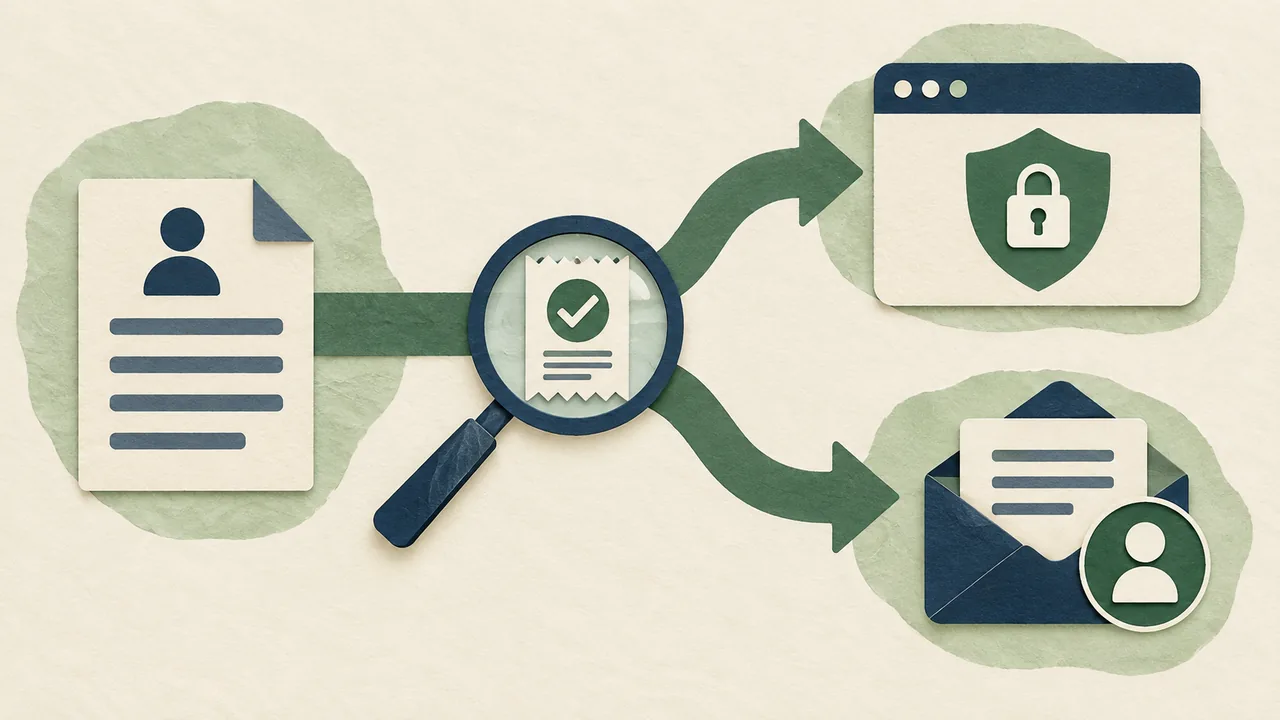
Who should you contact?
Contact the person or channel the employer names. If none is named, choose a public recruiting contact only when the employer clearly provides one for applicant questions. Do not guess at a hiring manager’s private address or message unrelated employees to locate a decision-maker.
A named contact is useful because they can place your question in context. UCSB advises applicants to reply to a personalized confirmation that gives an expected update date. It also suggests looking for an appropriate contact when the posting does not identify one. That advice is best applied with restraint: use an official company page, a recruiting contact, or a person who has already communicated with you. Do not turn “research a contact” into a search for any employee who might respond. UC Santa Barbara Career Services
The strongest contact is usually:
- The person who sent you a personalized application confirmation or discussed the role with you.
- The recruiter or hiring contact explicitly listed in the posting.
- The employer’s recruiting or careers inbox, if the employer lists one for questions.
- The official portal or agency contact route specified in the instructions.
If none exists, you may have no appropriate person to contact. That is a real answer. You do not need to create a contact path by messaging a senior executive, a team member who had no role in the posting, or a stranger on a personal account.
Do not treat social media as a shortcut
A public professional profile can help you understand who recruits for a company, but it does not mean that person invited application inquiries. If you already connected with a recruiter and they said LinkedIn is an acceptable channel, a concise direct message may work. If you have no relationship and the employer directs applicants to a portal, use the portal.
Avoid comments on company posts, repeated connection requests, and messages to several employees asking who owns the vacancy. These approaches make a routine status question visible to people who may not be able to answer it. A formal application channel is usually clearer and easier to track.
What should a polite follow-up say?
A useful follow-up identifies the role, says when you applied, asks one narrow question, and makes it easy for the recipient to answer or not answer. Keep it brief. You are checking the process, not trying to re-argue your application.
A simple message has four parts:
- Context: Your name and the position title.
- Reference: The date you applied or the date the employer said it would update applicants.
- Question: A neutral request for any available update on the timeline or next steps.
- Close: Thanks, with no demand for a response by a deadline you invented.
Hypothetical email example
Subject: Application follow-up: [Your name] - [Job title]
Hello [Name],
I applied for the [Job title] role on [date]. I’m checking in because the update window mentioned in the posting has passed. If you’re able to share any information about the hiring timeline or next steps, I’d appreciate it. I remain interested in the position.
Thank you for your time, [Your name]
This is a hypothetical template, not a real candidate’s message or a claim about anyone’s experience. Replace the bracketed details with accurate information, and remove the sentence about an update window if the employer did not provide one. If no timeline was stated, you can write, “I’m checking in to ask whether there is an update you’re able to share about the hiring timeline.”
The note does not claim that you are the perfect fit, that you have another offer, or that you can deliver results you have not demonstrated. You do not need to restate your resume. If there is a truthful, relevant update, such as a change in availability, add one sentence. Otherwise, stop after the question.
A short message to a known recruiter
If you have already exchanged messages with a recruiter, a more conversational version can be appropriate:
Hi [Name], I applied for [Job title] on [date] and wanted to check whether there’s an updated timeline for next steps. I’m still interested in the role. Thanks for any information you’re able to share.
Again, this is a hypothetical example. Use the channel the recruiter has already used with you, and keep the message close to the level of formality in the existing conversation. Do not send it through several channels to make sure it gets noticed.
What to leave out
A good check-in does not need a long explanation. Leave out:
- A full restatement of your career history.
- An apology for asking a reasonable question after the stated wait.
- A demand for a decision date the employer has not promised.
- A claim that you are owed an answer because you applied.
- A request to move ahead of other candidates.
- An invented competing offer or artificial deadline.
- A request for feedback before the employer has made a decision.
- Personal details that are not relevant to the hiring process.
The message should sound like a professional question, not a closing argument. A calm note gives the recipient room to answer with what they know.

How to make the message clear without making it pushy
Politeness is not a pile of softeners. It is a clear request, a reasonable time, and respect for the recipient’s choice not to respond. You do not need to write “I’m so sorry to bother you” or “I completely understand if you’re too busy” several times. One simple “thank you” is enough.
The most important tone choice is the question itself. Ask for information that the person can reasonably share: “Is there an updated hiring timeline?” is better than “Why haven’t I heard back?” The first asks about the process. The second can sound accusatory and invites an explanation the contact may not be able to give.
Compare these versions:
| Avoid | Better |
|---|---|
| “I haven’t heard anything. Can you tell me why?” | “I’m checking whether there is an update you’re able to share about the timeline.” |
| “I need to know by tomorrow.” | “If you’re able to share an estimated next step, I’d appreciate it.” |
| “I’m the strongest person for this job.” | “I remain interested in the role.” |
| “Please confirm you received my application,” sent after a clear portal confirmation | Check the portal receipt; contact support only if the record is missing or unclear. |
| “I’ve emailed a few people because no one replied.” | Send one appropriate message, then wait or move on. |
A message can be direct and considerate at the same time. State what you are asking. Do not make the recipient responsible for soothing your uncertainty.
Use a subject line that helps the reader
For email, include the role and your name. “Application follow-up: Alex Morgan - Operations Assistant” is more useful than “Checking in” or “Quick question.” If you are replying to a personalized thread, the original subject may already provide enough context; do not change it just to make the note look more urgent.
Avoid subject lines such as “URGENT,” “Need an answer,” or “Following up again.” They create pressure before the message begins. A useful subject line supports filing and recognition, not alarm.
Make the question answerable
“Any updates?” is understandable, but a focused question is easier to answer. Ask about the next expected step or whether the hiring window has changed. If you have a specific process question, ask that one question and include only the context needed to answer it.
For example, if a portal shows “submitted” but the confirmation says the employer sends a separate receipt, you might ask whether the application was received. If the employer already confirmed receipt, do not ask again. If you need to correct a factual mistake in a submitted form, explain the correction plainly and ask how to provide it. That is different from asking for general status.
Proofread before sending
Check the spelling of the recipient’s name, employer, job title, and your own contact details. Make sure the date you mention is right. Remove placeholder brackets. Read the message once as the recipient: can they identify the opening and the question without searching through several paragraphs?
If you are angry or anxious, draft the message and wait before sending it. A cooling-off period can expose language that sounds like blame or desperation. You are not giving up by waiting a few hours to proofread. You are protecting a short message from carrying the stress of a long wait.
When should you not follow up?
Do not send a separate follow-up when the employer has clearly told applicants not to inquire, when a portal is the required status channel, or when you have no appropriate contact route and no new information to convey. Respecting that instruction is better than finding a workaround.
The strongest exception to the general case for one check-in is an explicit instruction. A job posting may say, “Please do not call,” “We will contact selected candidates only,” or “Check your candidate account for updates.” Follow those directions. They apply to this employer and this vacancy. A general recommendation to follow up does not cancel them.
A portal instruction also changes the task. If the employer says status updates appear in the portal, check there rather than asking an employee to repeat the information. If you cannot access the account, contact the portal’s support route or the recruiting contact the employer provides. Ask about access, not for an exception to the process.
Other good reasons not to follow up include:
- You applied only a day or two ago and have no submission problem.
- The employer’s update window is still open.
- You have already sent one follow-up and have not received a response.
- Your only possible contact is an employee who is not listed as a hiring contact.
- You want to send a note mainly to relieve anxiety, not to clarify a useful question.
- The role has been closed or marked filled, and you have no specific administrative question.
- You are considering repeating the message on another channel because the first one was unanswered.
Silence is uncomfortable. It is not an invitation to increase the volume of contact. The employer may be delayed, may have chosen other candidates, may be unable to share details, or may not respond to every applicant. You usually cannot tell which explanation is true from silence alone.
What if the employer does not reply?
Treat one unanswered check-in as the end of the follow-up sequence unless the employer gave you a new date or asks you to contact them again. Continue your search. Do not send a second “just checking” note a few days later simply because the first note has not been answered.
UNLV’s career-services guidance says one follow-up is usually enough and advises applicants to respect any timeline the employer shares. That is a practical limit: one clear note can communicate interest; repeated notes rarely add new information. UNLV Career Services
There are exceptions when the facts change. If a recruiter says, “Please check back next Friday,” follow that invitation. If you discover a genuine submission error, contact the appropriate support route. If your availability changes materially, send the update through the channel the employer provides. These are new reasons to write, not repeated attempts to get attention.
Do not read silence as a verdict
No reply does not reliably tell you whether your application was reviewed, whether the role is paused, or whether the employer selected someone else. It may mean the process is still underway. It may mean the employer does not send individual updates. Without direct information, conclusions about the cause are guesses.
That uncertainty is a reason to keep applying, not to hold your whole search in place. Record the application and the expected next date. Then return to other opportunities. If this employer contacts you later, you can decide whether the role still fits.
If you receive a rejection
A rejection is a clear outcome for this application. You may thank the sender for the update. If the message invites questions or offers feedback, you can ask one focused question. Do not assume a recruiter can provide detailed feedback, and do not argue that the decision is wrong through a routine follow-up.
If you want to remain in consideration for future roles, say so briefly and only if it is true. For example: “Thank you for letting me know. I remain interested in future [function] openings, if they arise.” This is a courteous close, not a request to reconsider the current decision.
If the rejection appears to be an administrative error, such as a message for a different job or a record that conflicts with the employer’s confirmation, state the specific discrepancy and ask the official contact to check. Keep that note separate from a request for feedback.

What if you have another offer or a real deadline?
A real, time-limited offer changes the reason for contacting an employer. Tell the recruiter the truth, name the date by which you need to respond, and ask whether they can share their process timeline. Do not imply you have an offer if you do not, and do not manufacture urgency to force a decision.
A concise note might say:
Hello [Name], I’m still interested in the [Job title] role. I have received another offer that requires a response by [date]. If you’re able to share whether your process has a likely next step before then, I’d appreciate it. I understand if you cannot accelerate the process.
This is a hypothetical message. Use it only if the other offer and its deadline are real. You are not demanding that the employer change its process; you are giving them information that may help them decide whether an update is possible. They may not be able to respond before your deadline. Be prepared to make your decision using the offer you actually have, not a hoped-for one.
If your deadline is flexible, say so accurately. If it is not, do not imply that you can extend it. If the employer cannot give you an answer, that is useful information for your own planning, even if it is not the outcome you wanted.
How to handle common situations
The same basic rule applies across situations: follow the employer’s instructions, choose the right channel, and send no more than one ordinary status check-in. The details affect what counts as a reasonable next step.
The application deadline has not passed
If a role remains open for applications, wait unless you have a practical question or a real update that needs attention. A status request before closing is unlikely to tell you much if review begins after the deadline. Check the posting to see whether applications are reviewed as they arrive or after closing.
If the deadline is rolling, the employer may review candidates over time, but do not assume that this means immediate review. Apply when your materials are ready, keep a record, and follow any timing instruction the employer gives.
The deadline passed, but you have no update
Check the confirmation and portal first. If the employer provided a review window, wait until it ends. If there is no window, consider one concise note after a reasonable interval if you have an appropriate contact. Ask whether there is an updated timeline, not whether you have been selected.
For federal vacancies, follow the announcement’s contact guidance and the status system. USAJOBS says agencies may need time after closing to review applications and that the agency contact can answer certain status questions after the announcement closes. Its instructions are specific to federal applications and should not be generalized to other employers. USAJOBS: How to contact an agency
You received an automated confirmation
An automated message proves that the system sent a confirmation; it does not necessarily tell you when a person will review the application. Read it for a timeline, a portal link, or a support address. If it contains none, treat it as a receipt and follow the normal decision process.
Do not reply to a no-reply address. If the email gives a separate contact for questions, use that address for a relevant question. If it does not, check the employer’s careers page or portal. A reply that cannot reach a person does not count as a useful follow-up.
The role was reposted
A reposted listing is not proof that your application was rejected or ignored. Employers may refresh listings, leave them open while recruiting, or advertise a similar but separate role. Verify that the title, location, and posting number match before drawing a conclusion.
If the role is still open and you have not received a decision, you can still use the original timeline and contact route. Do not submit another application automatically. If the employer’s instructions say to apply again to a new requisition, follow them; otherwise, ask a specific question only if an official contact route exists.
The portal status has not changed
A static status can mean the system has not been updated. It does not necessarily mean the application is active, rejected, or overlooked. Check whether the employer defines the status and whether there is a date of last update.
If the employer directs applicants to the portal, the portal remains the default even when its status is frustratingly vague. If an announced response window passes and the portal provides an official contact route, one question about the timeline may be reasonable. Avoid asking several contacts to interpret a label that the employer has not explained.
The posting has disappeared
A disappeared listing may have closed, been removed, or moved to another page. It does not reveal what happened to your application. Search the employer’s careers site or confirmation for the posting number and status route. If you submitted through a platform, verify the application record there.
If the employer’s page says the role is closed and provides no status route, it may be time to move on. A specific administrative issue, such as a confirmation showing an application was incomplete, is different and may justify contacting the listed support address.
You know someone at the company
If your contact is not part of recruiting, ask for process advice only if that relationship makes the question natural. Do not ask them to obtain private information or pressure a colleague. A personal connection can help you understand the right channel; it does not guarantee access to the hiring decision.
If the contact referred you and offered to check in, agree on a reasonable point to reconnect. Otherwise, keep your application follow-up in the formal channel. This protects both the relationship and the fairness of the hiring process.
Keep a simple follow-up record
A small application log can stop uncertainty from turning into repeated messages. Record the employer, job title, application date, closing date, stated update window, channel, contact route, and whether you sent one follow-up. You do not need a complex tracker. A note or basic spreadsheet is enough.
For each application, write one next action. Examples: “Check portal after Oct 20,” “No follow-up; posting says portal only,” or “One email sent Oct 23; wait.” This makes the decision visible. You are less likely to reopen the same question every morning or accidentally message two people about the same application.
A useful record distinguishes facts from guesses. “Portal says submitted” is a fact. “They must have rejected me” is an interpretation. Keep those separate. The distinction helps you act on what you know rather than on a story you built to explain silence.
When maintaining your application materials, use a clear, accurate resume and keep the version you submitted. If you need to prepare or update one before your next application, the free resume editor can help you make a document to review. That work is separate from following up: a new resume does not create a reason to resend materials to an employer that did not ask for them.
A five-step check before you send
Before you write, run this quick sequence:
- Read the posting again. Look for a response date, a closing date, a contact name, and any instruction about inquiries.
- Read your confirmation. Check whether it names a status portal, recruiting contact, or expected update window.
- Check the application record. Verify the submission and make sure you are looking at the correct role and posting number.
- Decide whether a message adds useful information. If you have no question, no new fact, and no appropriate recipient, do not send one just to fill the silence.
- If a message is appropriate, send one short note. Identify the role, refer to the relevant date, ask one neutral question, and then wait.
This process takes less effort than writing several versions of a message while worrying about how it will sound. It also gives you a firm stopping point: once you have followed the instructions and sent one reasonable check-in, the next step is to continue your search.
Frequently asked questions
Is it rude to follow up after applying for a job?
A brief, respectful message is not inherently rude when the employer’s instructions allow it and the timing is reasonable. It becomes a poor choice when you ignore a stated no-contact instruction, bypass the requested portal, or send repeated messages without new information.
Should I follow up within a few days or wait a week?
Follow the employer’s stated timeline first. General career guidance differs: UCSB suggests a short email within a few days, while UNLV recommends about seven to ten days unless the posting gives another timeline. Those are broad recommendations, not a universal rule. If no timing is stated, check the portal and confirmation, then choose one reasonable wait rather than treating either number as mandatory. UC Santa Barbara Career Services, UNLV Career Services
Should I call or email?
Use the channel named in the posting or confirmation. Email is a practical default when the employer provides a recruiting email or a named contact. Call only if the employer gives a phone number for applicant questions or invites calls. Do not call a general company number to get around a portal instruction.
Should I contact the hiring manager on LinkedIn?
Only if the employer or your existing contact has made that an appropriate channel. If the posting names a recruiter, use that contact. If it directs you to a portal, use the portal. A public profile alone is not an invitation to send a status request.
What if I have no contact name?
Check the employer’s careers page and your confirmation for an official recruiting address or portal. If there is no suitable contact route, do not guess at a private address or message unrelated employees. In some cases, the right move is to wait and continue applying elsewhere.
Can I follow up more than once?
For an ordinary status question, send one follow-up. Send another only when the employer invites you to check back on a specific date or when a new, relevant fact changes what you need to communicate. Repeating the same question without new information is not a stronger version of the first message.
What if I applied through USAJOBS?
Check the application status through the tracking route in your USAJOBS account and read the announcement’s contact instructions. The hiring agency is responsible for the status, and USAJOBS directs applicants to the agency contact for appropriate questions. The agency may need time after the closing date to review applications. USAJOBS: How to see your application and job status, USAJOBS: How to contact an agency
Does following up improve my chances?
The sources cited here offer career advice about showing interest and communicating professionally. They do not establish that a follow-up guarantees an interview, changes an employer’s decision, or improves outcomes for every applicant. Send a note when it is appropriate, but do not treat it as a substitute for a clear application or continued job search.
The practical rule
Use the employer’s timeline. Check the channel where you applied. Contact only someone or somewhere the employer has made appropriate. If the instructions allow it and enough time has passed, send one short, factual question. Then stop and keep moving.
That is the balance: show interest without demanding attention, and respect the process without putting your search on hold. Before your next application, make sure your resume is accurate and readable, submit it through the requested route, note the employer’s timeline, and set one reminder for the date that actually matters.