Should You Attach a Transcript to a Job Application? Follow the Request
Attach a transcript when the job posting or application requires one, and use the exact type and format it names. If a transcript is optional, send it only when it adds relevant evidence your resume cannot show as clearly. If the application accepts an unofficial transcript, follow that instruction instead of delaying for an official copy.

Start with the application instructions, not a general rule
A transcript is supporting evidence, not a standard extra page for every application. The posting, application portal, or recruiter’s explicit instruction decides whether to include it. Start there. Do not attach a transcript just because you have one, and do not omit one because a general career article says employers rarely ask for it.
Read the entire posting once, then inspect the application form itself. A job announcement may put required documents under “How to apply,” “Required documents,” “Application materials,” or a portal step you see only after selecting “Apply.” Check both places. If the posting and form appear to disagree, treat the form’s required-document list as a warning, not a puzzle to solve by guessing. Check any clarification the employer has posted. If the conflict remains, contact the listed recruiter or hiring office before the deadline.
The distinction matters because “transcript” can describe several different things: an official record sent by a school, an unofficial record downloaded by a student, a transcript covering one institution, or records from multiple institutions. The employer may need a document to evaluate a particular academic requirement, not a general portrait of your student life. Your job is to provide what the application asks for, no more and no less.
For U.S. federal applications, read the announcement’s document requirements carefully. The Office of Personnel Management’s USAJOBS guidance explains that a transcript-required notice tells applicants whether transcripts are needed and warns that, where a transcript is required, education may not be used to assess qualifications if it is omitted. That is a concrete reason not to substitute a resume education entry for a required record. OPM’s USAJOBS announcement guidance
A university career office may give sound advice for its own students and recruiting platform, but it cannot overrule a different employer’s stated requirements. Harvard’s career guidance, for example, describes how applicants in its recruiting system can upload an unofficial transcript and preview the file. That is useful for understanding the mechanics of that system, not a universal instruction to attach one to every application. Harvard FAS recruiting FAQs
Use this order of authority: the current job posting, the application portal’s document list, any direct written clarification from the employer, then general advice. When an instruction is clear, follow it. When the instruction is unclear, ask rather than inventing a rule.
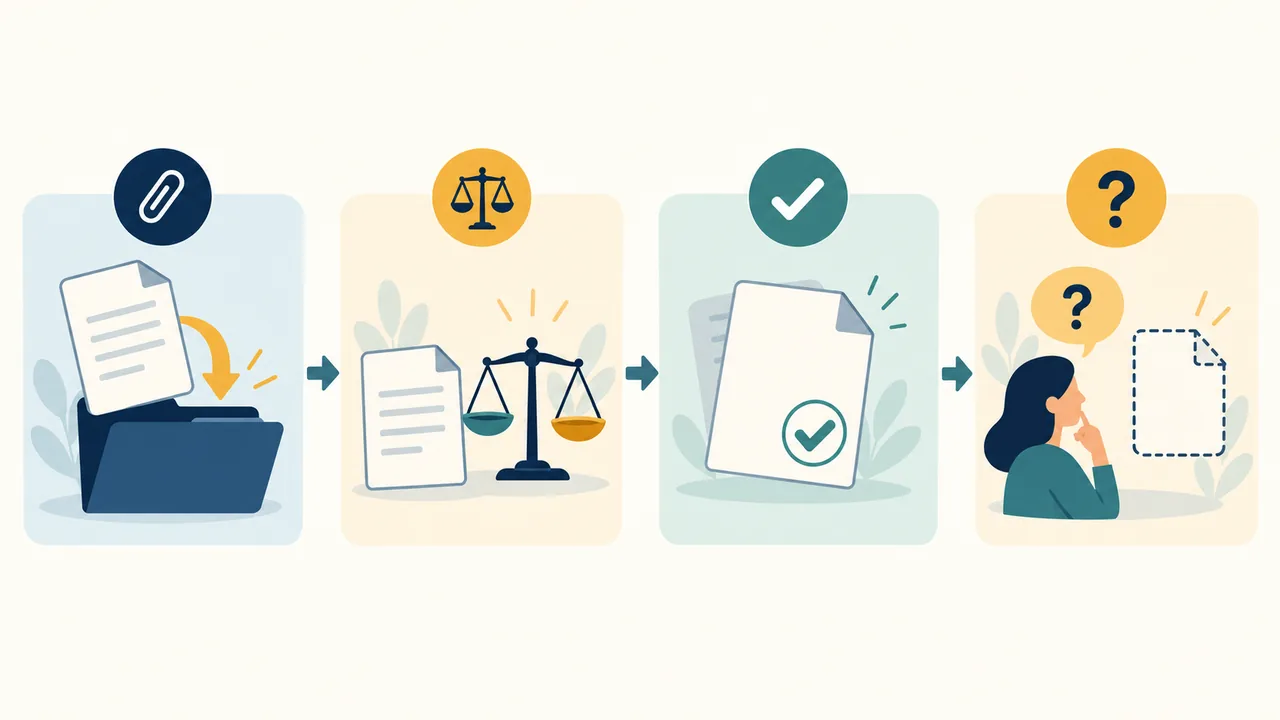
Decision tree: required, optional, unofficial, or unavailable
Use the decision tree below before you upload anything. It resolves the four common situations without treating every application alike.
- Does the posting or portal require a transcript? If yes, submit the requested transcript with the application, in the stated format and by the stated deadline. If the instruction says “official,” “unofficial,” or names a particular set of records, follow that wording. If you cannot obtain the requested item in time, contact the employer immediately and ask what it will accept. Do not silently leave a required file out.
- Does it say the transcript is optional? Include it only if it adds focused, relevant evidence that your resume does not already communicate clearly. If it is redundant, difficult to interpret, or likely to distract from stronger evidence, leave it out. Optional means you can decide; it does not mean the extra file is automatically helpful.
- Does it accept an unofficial transcript? Submit a current, unaltered unofficial transcript that clearly identifies you and the institution, unless the employer specifies another format. Do not wait for an official copy simply to make an application look more formal. The exception is a separate instruction requiring the official version, or a later verification stage that explicitly calls for it.
- Is the transcript unavailable? If it is required, contact the employer before the deadline. Explain briefly what is unavailable, say what you can provide now, and ask whether an unofficial copy, student record, or later submission is acceptable. If it is optional, leave it out unless the employer asks for it. Never create a substitute that looks like an institutional record.
This order prevents two common errors. The first is sending a transcript by reflex, as if more attachments must make an application stronger. The second is treating “official” as a synonym for “better” even when the employer explicitly accepts an unofficial record. Neither adds value. The application’s instruction is the deciding fact.
| Application wording | Best action | Avoid |
|---|---|---|
| “Transcript required” | Attach the requested record before submitting. | Assuming the resume’s Education section replaces it. |
| “Unofficial transcript accepted” | Upload the current, clearly identified unofficial version. | Delaying for an official copy unless another instruction requires it. |
| “Transcript optional” | Include it only if it adds relevant evidence. | Adding a long record that merely repeats your resume. |
| No transcript mentioned | Usually omit it; check the portal and any specific recruiter request. | Treating silence as a request. |
| Required transcript unavailable | Ask the employer what it will accept before the deadline. | Omitting it without explanation or altering a record. |
The table is a decision aid, not a substitute for the application’s exact directions. If the employer asks for a particular document, that request controls even when another row seems to fit.
If the transcript is required, submit the requested one
A required transcript is part of the application, not an optional way to add polish. Submit it in the form requested. If the employer asks for an official transcript, do not assume an unofficial PDF will do. If it accepts an unofficial record, do not spend time or money ordering an official one just to appear more serious. The strongest exception to the usual “don’t delay over official paperwork” instinct is an explicit requirement for an official version.
Requirements can be specific. An employer may ask for a transcript from a named degree, from every postsecondary institution attended, or from a program relevant to a license or qualification. It may want the record at application, after an interview, or before an appointment. Those are different requests. Read the timing as closely as the document name.
For a federal role, the announcement’s qualifications and required-document sections deserve particular attention. OPM’s guidance says the job announcement should tell applicants if transcripts are required, and it describes the consequence of failing to provide one when education is being considered. The governing point is not that all federal jobs require transcripts. It is that you should follow the requirements for that specific announcement. OPM’s USAJOBS announcement guidance
What to do when you cannot get it before the deadline
Do not let uncertainty turn into silence. Contact the hiring contact as soon as you know there may be a delay. Keep your message short and practical:
The posting requests a transcript, but my institution’s transcript service cannot provide the requested version before the application deadline. Would you accept my current unofficial transcript or student record for this submission, with the official document provided later if needed?
That is a hypothetical template, not a claim about what any employer will accept. Replace the details with your situation. If the employer has an application help desk, use the specified channel. Keep the response with your application records so you can follow the instruction consistently.
Do not assume that an order confirmation, registrar email, or promise to send the transcript later satisfies the requirement. Ask. If no one replies before the deadline, submit the strongest permitted application you can and follow any instructions for documenting missing materials. Do not mislabel a file to make it appear complete.
If the application has a required upload field and blocks submission, the portal is telling you something operationally important. It does not establish that a screenshot or course list will be accepted instead. Ask the employer or portal support contact which alternate file, if any, is appropriate. If the portal lets you submit without a transcript but the posting calls it required, do not read the portal’s technical permissiveness as a waiver.
If it is optional, make the transcript earn its place
An optional transcript should answer a question that your resume leaves open. It might show specific relevant coursework, a completed sequence of technical classes, or academic preparation for a role where education is central. If it only repeats a degree title and graduation date already stated on your resume, it probably adds little.
The test is simple: What relevant fact will the reviewer learn from this transcript that the resume cannot show as clearly? If you can answer in one sentence, the attachment may be useful. If your answer is “it might help,” “it can’t hurt,” or “I want to show everything,” skip it.
Consider a hypothetical applicant applying for an entry-level environmental lab role. Their resume lists a biology degree and a class project, but says little about their academic preparation in laboratory methods. An optional transcript showing courses such as analytical chemistry, microbiology, and instrumental analysis might help a reader verify that relevant coursework is part of the applicant’s record. It does not prove laboratory competence by itself. The applicant would still need to describe actual work, projects, or training truthfully elsewhere in the application.
Now consider a hypothetical experienced operations manager with twelve years of relevant work. The optional transcript contains a broad course history but no new information about the work in the posting. Attaching it may shift attention toward old grades instead of current, relevant experience. The better choice is to leave it out unless the employer requests it or a specific educational requirement makes it useful.
A transcript can be relevant without being decisive. It shows a record of enrollment, courses, grades, and sometimes degree completion, depending on the institution and version. It does not show by itself how independently you can perform a job, how you collaborate, or how well you handled an assignment under workplace conditions. Let the document prove only what it can prove.
Optional does not mean “upload every school record.” If you attended several institutions, do not bundle them all automatically. Identify the educational evidence relevant to the application and check whether the employer expects a complete record. If the instructions do not say, ask before omitting a school when the transcript is being used to substantiate a qualification. For a general optional attachment, a focused and readable document is usually easier to assess than an unexplained stack of records.
If unofficial is accepted, do not wait for official
An unofficial transcript is the right document when the employer explicitly accepts it or asks for it. Use the current record available through your student account or institution, and preserve the institutional content as issued. Do not wait for an official copy merely because the word “official” sounds more impressive. That can cost time, introduce unnecessary steps, or cause you to miss an application deadline without improving the evidence the employer requested.
Harvard FAS explains that applicants using its recruiting system can print or capture their unofficial transcript and should preview the uploaded document. Its guidance also addresses missing grades and cautions against altering the student record. The details are specific to Harvard’s system, but the practical lessons are broader: use the kind of record requested, check the actual upload, and do not edit the transcript itself. Harvard FAS recruiting FAQs
“Unofficial” describes the document’s status, not an invitation to modify it. Do not crop away a grade, remove a course, change a date, redraw the school’s layout, or add a note inside the record. If a grade is pending, leave the record as it is. If context is needed, provide it separately and briefly, or ask the recruiter how to handle it.
Some institutions offer an official PDF that becomes unofficial when you download or open it, while others provide a student-view record with an unofficial label. Procedures vary by institution. Follow the issuing school’s directions and the employer’s requested format rather than assuming that all records are produced the same way.
If an employer accepts unofficial records now but may later request verification, treat those as two separate stages. Submit the acceptable version now. If the employer later requests an official transcript, order it from the institution and send it through the channel specified. Do not send official records to an email address or physical address unless the employer or school directs you to do so.
If no transcript is available, choose an honest next step
A missing transcript is a logistics problem, not a reason to fabricate a replacement. First decide whether the record is required or optional. If it is optional, omit it. If it is required, ask the employer whether it will accept a student portal record, an unofficial copy, a registrar statement, or a later official copy. An alternative is acceptable only when the employer says so or the application instructions clearly permit it.
“Unavailable” can mean different things. You may be waiting for a registrar, unable to access an old student account, transferring records from another school, or still enrolled with grades not yet posted. Tell the employer only what matters to the decision. You do not need to provide a long personal explanation. State the document you lack, what you can access, and the question you need answered.
A hypothetical message could read:
I’m applying for the [role title]. The posting requests a transcript, and I cannot access my institution’s portal before the deadline. Would you accept a registrar statement or another record in the meantime? I can provide an official transcript if requested later.
This is an example of wording, not a promise that a registrar statement will suffice. Do not imply that you have ordered a transcript if you have not. Do not say it is on the way unless the institution has confirmed the request.
If the employer does not respond, use the document field as instructed and preserve the correspondence. Where the application requires a file but does not say what alternate is acceptable, avoid uploading an unrelated document simply to satisfy the interface. A blank placeholder can confuse reviewers; a resume duplicated into the transcript field can look evasive. Seek the employer’s direction instead.
If you have a student-view record but not an official transcript, the answer may be straightforward when unofficial transcripts are accepted. Download the record, check that it identifies you, and label the file accurately if needed. If the employer specifically requires official records, do not quietly substitute the unofficial copy and hope it passes. Ask whether a temporary substitute is allowed.
Selecting relevant coursework without turning the transcript into a second resume
Coursework selection is useful when the employer requests a transcript or when the application lets you include a brief course list. It is not a reason to edit the transcript. Keep the original record intact. Select and describe relevant courses in your resume or a separate permitted document, and make clear that the list is selected rather than complete.
Start with the job’s actual tasks, not course titles that merely sound impressive. Mark the required knowledge or methods in the posting. Then identify courses whose content directly relates. A role involving routine water-quality testing, for example, may make laboratory methods, analytical chemistry, and environmental sampling more relevant than a general elective. A role involving data reporting may make statistics or data analysis relevant. These are hypothetical examples; the right courses depend on the real job and what you actually studied.
Use this procedure:
- Underline the job’s specific knowledge areas. Look for tools, subject matter, methods, regulations, or technical tasks. Do not treat every preferred qualification as a course requirement.
- Match each area to a course you completed or are taking. Use the institution’s actual course title when possible. If the title is ambiguous, a brief, accurate description can clarify it in a separate coursework list.
- Separate completed courses from courses in progress. Do not imply that a current class is finished. Mark it “in progress” or provide the expected term only if that information is accurate and useful.
- Select a small, defensible set. Include only courses that help the reader understand preparation for this role. A long catalog is not stronger evidence than a relevant short list.
- Check the transcript and resume side by side. Confirm institution, program, dates, degree status, course names, and any GPA claim agree. If the resume uses a shortened course title, make sure it still identifies the same course.
A hypothetical example makes the difference clear. Imagine a candidate applying for a junior data analyst position. The posting mentions preparing reports, summarizing data, and working with spreadsheets. The candidate completed introductory statistics, database fundamentals, and a spreadsheet modeling course. Those three courses may be worth naming in a short “Relevant Coursework” line if the resume has room and the candidate can accurately describe what each course covered. A course in unrelated art history need not be included just because it appears on the transcript. The omitted course remains on the transcript; the resume is a selective summary, not a replacement record.
Selection is not distortion. Do not rename a course to match a keyword in the posting. Do not present a group project as an individual achievement. Do not turn a course title into a claim of professional proficiency. “Completed coursework in database fundamentals” means something narrower than “database administrator.” Keep the wording at the level your evidence supports.
If the employer asks for the transcript itself, send the record they request. A selected coursework list may help explain the relevance of the record, but it does not replace a required transcript. If the form has a separate coursework field, use it. If no such field exists and the transcript is optional, favor a concise resume entry over an unsolicited extra attachment.

Check the transcript against your resume before submitting
The transcript and resume should describe the same education accurately, even though they serve different purposes. The transcript is an institutional record. The resume is a selective, job-focused summary. Selectivity is acceptable; contradiction is not.
Check these details:
- Institution name: Use the correct name for the school that issued the record. If the institution has changed names, avoid implying that an old transcript was issued under a later name unless the record shows that.
- Degree and program: State only a degree awarded or accurately mark a degree in progress. Do not call a concentration, certificate, or course sequence a degree.
- Dates: Distinguish attendance dates from an expected graduation date and from a completion date. Do not present an estimate as a confirmed award date.
- Transfer study: If the resume lists more than one institution, check whether the transcript submitted covers one school or several. Do not imply a single transcript covers a complete academic history when it does not.
- GPA: Confirm the scale, source, and calculation. If you use a major GPA or a combined GPA, label it clearly and be able to explain which courses or credits it includes. Do not round or combine figures in a misleading way.
- Courses: Ensure any selected course names and completion status match the record. Mark current courses as in progress, not completed.
- Pending grades or incomplete work: Do not guess a grade or quietly omit a course from a calculation if the calculation is presented as complete. Explain a material limitation separately when needed.
The University of Pennsylvania’s career guidance for transfer students advises applicants not to alter transcripts and cautions that combining GPAs across institutions can be difficult because grading scales and credit totals differ. That advice is especially relevant when a resume presents a combined figure: label it clearly and calculate it only when you can support it. University of Pennsylvania transcript and resume FAQs
Hypothetical consistency check
Suppose a hypothetical resume says, “B.S. in Chemistry, expected May 2027,” and lists a 3.7 cumulative GPA. The transcript identifies the student as enrolled in a chemistry program, shows grades through the previous term, and does not yet show a degree award. The wording “expected” is consistent with an uncompleted degree. The GPA should match the record’s relevant calculation and coverage date; if the newest term is not graded, do not imply that it is included.
Now suppose the resume says, “B.S. in Chemistry, May 2025,” but the transcript shows the student is still enrolled and has no degree award. That is not a small formatting difference. It changes the claimed credential. Correct the resume before applying. A transcript does not excuse an inaccurate resume, and a resume does not change what the transcript records.
If you find a real discrepancy, do not modify the transcript to make it match the resume. Determine which document contains the error. Correct your resume if your summary is wrong. If the institutional record appears wrong, contact the registrar and ask how to resolve it. If the application is already submitted, follow the employer’s process for updating documents. Harvard’s guidance similarly tells applicants not to annotate or alter the transcript and suggests using a separate brief explanation or asking the recruiter when context is needed. Harvard FAS recruiting FAQs
What a transcript can and cannot prove
A transcript can document courses, grades, enrollment, credit, and sometimes a degree award or completion status. What it proves depends on the institution’s record and the information shown. Read the document rather than assuming every transcript includes every detail.
A transcript cannot, by itself, establish that you can do every task named in a job posting. A strong grade in a statistics class is evidence of performance in that class under its assessment conditions. It is not a direct measurement of how you will analyze a company’s data, explain uncertainty to a manager, or meet a workplace deadline. A course title suggests subject matter; it does not establish mastery of every technique in the syllabus.
Grades also have limits as comparisons. A transcript may not explain the institution’s grading scale, course difficulty, class size, grading policies, or how the course relates to the work. A GPA compresses a large academic record into one figure. It can be useful when a posting requests it or when it directly supports an early-career application, but it does not replace evidence of work, projects, or skills.
The right inference is modest: a transcript can corroborate an educational history and show academic exposure or performance as recorded. It cannot certify a candidate’s character, future job performance, or hiring value. Do not claim that it proves more than that. For a job application, pair academic evidence with concrete and truthful evidence of what you have done: a project, a lab procedure you actually performed, a report you wrote, or a responsibility you held.
There is another limit: a transcript may include private details that are irrelevant to the job. Before uploading an optional record, check what it reveals and whether the employer needs it. Do not redact or alter a transcript if the employer asks for the unmodified record; ask what is acceptable. For an optional transcript, the simplest privacy-protective choice is often not to send it unless it adds useful evidence.
Prepare the file the employer asked for
A correct transcript can still be a poor submission if it is incomplete, unreadable, mislabeled, or uploaded to the wrong field. Before attaching it, check the file itself and the portal’s preview.
- Use the requested file type. If the portal accepts only PDF, submit a PDF. If it names another format, follow that direction. Do not assume a format preference from another application applies here.
- Check the pages. Open the exported file and confirm that all pages are present, oriented correctly, and legible at normal zoom. Make sure the name, institution, term, and relevant record details can be read.
- Check what the export includes. A print-to-PDF or screenshot can omit pages, cut off columns, or capture only what was visible on screen. Preview the complete result rather than trusting the download button.
- Label the file truthfully. Use a simple name such as
FirstName-LastName-Unofficial-Transcript.pdfwhen it is unofficial and the employer has not requested another naming convention. Do not name a student-view record “Official Transcript.” - Respect upload limits. If the portal sets a size limit, use the institution’s export options or a suitable compression method that preserves readability. Do not reduce the file until grades, terms, or identifying details become hard to read.
- Preview the uploaded document. Check the portal’s final attachment view. Harvard FAS specifically advises applicants using its system to preview documents after upload; the same basic check is prudent in any application portal. Harvard FAS recruiting FAQs
Do not assemble several records into one PDF unless the employer or upload field calls for a combined document, or the instructions clearly allow it. If the employer needs multiple institutions, combine them in a logical order and make the source of each record clear without changing the records themselves. If the portal permits only one file but the instructions request several transcripts, ask whether a combined PDF is acceptable.
If you use a screenshot, inspect it carefully. The student’s name and institutional context should be visible, the text should be legible, and no unrelated browser content should crowd the record. A screenshot is not automatically acceptable just because a university career office describes it for its students. Follow the employer’s required type and the school’s rules.
Finally, reopen the uploaded file after submission if the portal allows it. Confirm that you attached the transcript to the transcript field, not the resume field, and that the file name matches the content. Do not send a second copy by email unless the employer requests one. Duplicate submissions can create confusion about which version is current.

Common mistakes that weaken a transcript submission
Attaching it to every application. This adds material without showing why it matters. Attach it when required; when optional, make it earn its place.
Waiting for an official copy when unofficial is accepted. That substitutes formality for compliance. Follow the stated exception and submit the accepted record on time.
Assuming unofficial means editable. It does not. Preserve the record. Explain missing context separately or ask the employer.
Sending only selected pages when a complete transcript is required. A partial record may conceal relevant context, even if unintentionally. Submit the full document requested. If the employer wants only a specific page or term, follow that instruction.
Treating a transcript as proof of skill. A course or grade can support an education claim. It cannot replace evidence of actually applying a skill. Keep skill claims grounded in projects, work, or training you completed.
Combining records or GPAs without clarity. Records from different institutions may use different grading scales or credit systems. A combined number can mislead if the calculation is not comparable. Penn’s transfer-student guidance specifically warns that combining GPA across institutions can be difficult and recommends clear labeling when a combined figure is used. University of Pennsylvania transcript and resume FAQs
Uploading without a final preview. A corrupt, clipped, or wrong file is still a failed attachment. Open it, inspect it, and verify the portal preview.
Ignoring a deadline because one document is missing. Ask the employer what to do. If the transcript is optional, submit without it. If required, get direct guidance rather than hoping the omission will go unnoticed.
The weakest approach is to treat the transcript as a talisman: attach it, assume it makes the application stronger, and stop checking. A transcript is useful only when it answers the employer’s question in a clear, honest way.
Submission checklist
Before you submit, work through this checklist:
- [ ] I checked both the job posting and the application portal for transcript instructions.
- [ ] I know whether the transcript is required, optional, accepted as unofficial, or not requested.
- [ ] I have the correct type of record and the correct institution or institutions.
- [ ] I followed the requested timing, format, page scope, and upload method.
- [ ] If I lack a required document, I contacted the employer and asked what alternative is acceptable.
- [ ] The transcript itself is unaltered and labeled honestly.
- [ ] My resume’s school, degree status, dates, coursework, and GPA claims agree with the record.
- [ ] Any selected coursework is relevant, accurately named, and clearly separate from the complete transcript.
- [ ] My PDF or other file is readable, complete, correctly oriented, and within the portal’s size limit.
- [ ] I previewed the uploaded attachment and put it in the correct field.
- [ ] I did not include duplicate or unrelated documents just to fill space.
If every box is checked, submit. If one is not, fix the issue or ask the employer before the deadline. A short clarification now is better than a confident guess attached to your application.
Frequently asked questions
Should I attach a transcript if the job posting does not mention one?
Usually, no. Check the application portal as well as the posting. If neither asks for a transcript, leave it out unless a recruiter specifically requests it or the transcript adds important, relevant evidence that your resume does not show as clearly. Do not assume that an extra attachment improves an application.
Should I send an official or unofficial transcript?
Send the type the employer requests. If it explicitly accepts an unofficial transcript, use a current, unaltered unofficial record rather than waiting for an official one. If it requires an official transcript, do not assume an unofficial copy will meet the requirement. If the instruction is unclear, ask.
What if the posting says “transcript” but does not say official or unofficial?
Check the application’s required-document list and any employer guidance. If the distinction affects time, cost, or whether you can meet the deadline, contact the hiring office. Do not guess that “transcript” means “official” or “unofficial” in every employer’s process.
Can I attach only the page with my best grades?
Only if the employer asks for that page or accepts selected pages. If it requests a transcript, send the record as issued and requested. Do not crop out courses or grades to influence the reader’s impression. If the transcript is optional and you want to highlight relevant coursework, list selected courses separately and leave the official record unchanged.
Should I include a transcript when my grades are mixed?
Not automatically. If it is required, submit it regardless of whether every grade is ideal, and do not alter it. If it is optional, decide whether it adds relevant evidence. A transcript with mixed grades may still document useful coursework or a completed qualification, but it also reveals a broader academic record. Do not send it simply because you feel you must disclose every record when no one asked.
What should I do about a missing grade?
Do not invent or estimate the grade on the transcript. If the record is required, submit the current version if the employer accepts it and explain the missing grade separately only when needed. Harvard’s recruiting guidance advises its students to use the available transcript with missing grades and to calculate GPA without ungraded courses. That advice is platform-specific; follow the hiring employer’s instructions for your application. Harvard FAS recruiting FAQs
Do I need a transcript for an entry-level job?
Only if the employer asks for one, or if an optional transcript makes a meaningful contribution to your application. For an early-career applicant, relevant coursework may help show academic preparation when the resume has limited work history. It still does not prove workplace performance on its own.
Should I send transcripts from every school I attended?
Follow the posting. If it requests records from every institution, provide them. If it requests one degree’s transcript, provide that one. If it says only “transcript” and you attended multiple schools, ask whether it expects all institutions, especially when the record is being used to verify education. Do not imply a partial transcript is a complete academic history.
Can I use a screenshot of my student record?
Only if the employer accepts that kind of unofficial record or its instructions permit it. A screenshot can be incomplete or hard to read, so check the whole document and preview the upload. A university career center’s instructions for its own platform do not establish what another employer will accept.
What if I already submitted the wrong transcript?
Check whether the portal permits updates or whether the employer gives a correction process. If the wrong document could affect the completeness or accuracy of your application, contact the recruiter or support channel promptly, state the correction plainly, and ask how to replace it. Do not send multiple versions through unrelated channels unless instructed.
The practical rule
Follow the request. Required means submit the requested record. Optional means include it only when it adds relevant evidence. Unofficial means use the acceptable unofficial version rather than delaying for official paperwork. Unavailable means ask what the employer will accept, not alter a record or silently skip a requirement.
Before you send the application, check that the transcript and resume tell the same accurate story. If you need to refine the resume’s education section or choose a clean layout for the supporting materials, the free resume editor and resume template gallery can help you prepare the resume itself. The transcript remains a separate record. Keep it intact, attach it only when it belongs, and let each document make claims it can actually support.