How to Answer an Employer’s Question About Using AI in a Job Application
Follow the employer’s stated AI rules, then describe your actual role in plain language. Say whether AI helped you brainstorm, edit, draft, or produce text you submitted largely unchanged. If the employer neither asks about AI nor restricts its use, you don’t need to invent a disclosure, but you still need to verify every claim and make sure the application represents you.

Start with the employer’s rules, not a guess about what they want to hear
When an employer asks about AI, answer the question they actually asked and follow the instructions attached to it. Don’t assume that all employers permit the same tools, or that every question about AI has the same meaning. One employer may ask whether you used a writing assistant; another may prohibit generated text in a take-home exercise; a third may have no AI rule at all.
Read the full application, assessment instructions, candidate guidance, and any follow-up message. Look for what the rule covers: the resume, cover letter, application-form answers, work sample, interview, or all submitted materials. Check whether it bans a tool, a kind of assistance, or unedited output. If the instructions say “your own work,” don’t decide on your own that a particular kind of generated draft is exempt.
Harvard’s career guidance makes the practical point: application instructions can contain organization-specific AI rules. It also advises candidates to treat generated wording as a suggested edit, check its accuracy, and ensure the documents represent their experience authentically. Those are useful safeguards, but the employer’s instructions govern that application. (Harvard FAS: AI for Resumes and Cover Letters)
Use this order of operations:
- Find the rule. Read the job posting, application form, assessment instructions, and candidate FAQ. Search for “AI,” “generative AI,” “ChatGPT,” “automated tools,” “original work,” and “unaided.”
- Identify the material covered. A restriction on a timed writing exercise may not say anything about proofreading a resume. Don’t stretch a narrow instruction into a universal ban, but don’t ignore its scope either.
- Identify what the employer wants disclosed. Does the employer ask whether you used AI at all, whether you used it for a specific task, or whether the final material is your own work? Answer that wording, not a more convenient substitute.
- Compare the rule with what you actually did. Include help from chatbots, text generators, paraphrasers, grammar tools, translation tools, or other systems when it falls within the employer’s stated definition. If the definition is unclear and the distinction matters, ask the contact listed for the process before submitting.
- Answer directly. State the tool’s role, your role, and what you checked. Keep the answer proportionate to the question.
If the policy is unclear, ask a neutral question rather than a leading one. For example: “Your instructions say submitted responses must be my own work. Does that rule permit using a spelling and grammar checker, or should I avoid all writing-assistance tools?” This asks for a boundary. It doesn’t ask the employer to approve work you have already decided to submit.
Describe the task AI performed, not just whether you used AI
The word “used” is too broad to explain what happened. A tool that suggested questions for you to consider did not play the same role as a tool that wrote a complete answer you submitted unchanged. A good response names the task and the human decision that followed.
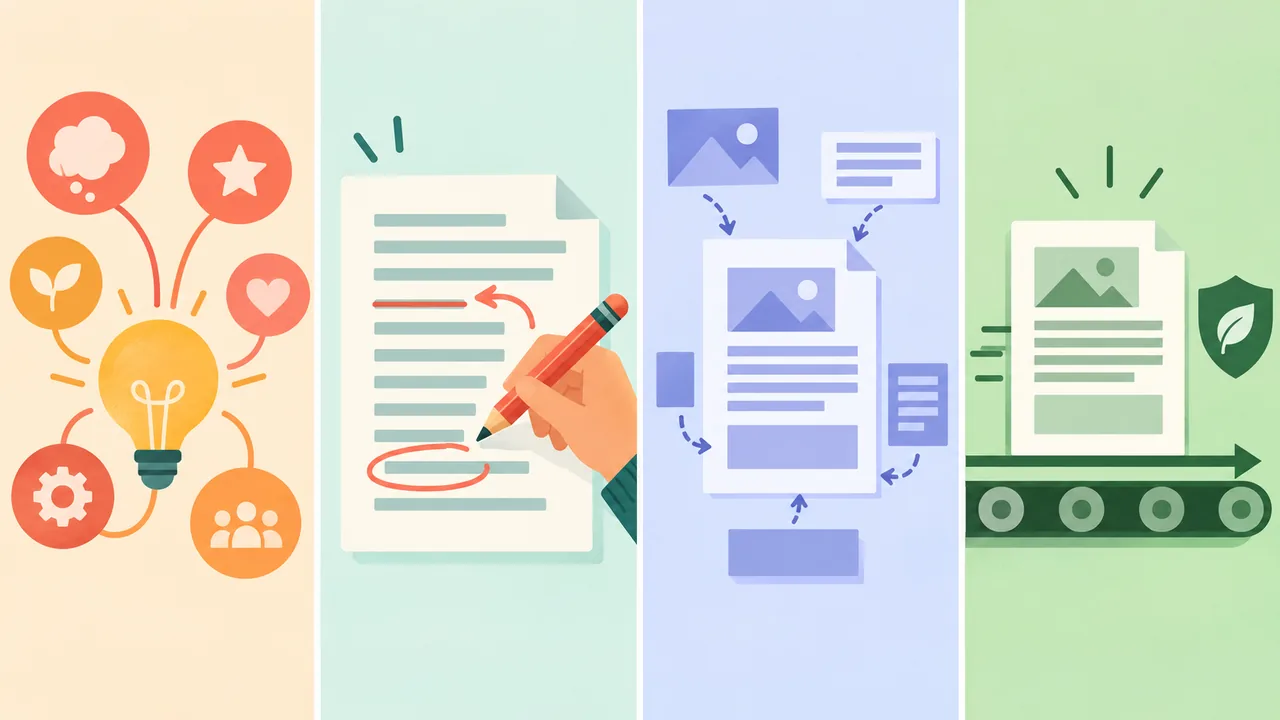
Separate four stages:
- Brainstorming: The tool suggested topics, questions, or possible ways to organize information. You chose what fit and wrote the material yourself.
- Editing: The tool reviewed wording you had already written, perhaps for grammar, clarity, or concision. You accepted, changed, or rejected suggestions.
- Drafting: The tool generated sentences or paragraphs based on your notes, experience, or instructions. You revised and verified the material before submitting it.
- Unedited generated text: The tool produced substantial wording that you submitted with little or no meaningful revision.
These are descriptions of the work process, not automatic permission categories. An employer may allow editing but prohibit drafting. Another may define AI use broadly enough to include brainstorming. If a rule asks whether you used AI in any way, a grammar suggestion can count even if you wrote every sentence. The table helps you describe the facts; it doesn’t override the policy.
| What happened | Plain description | What to check before answering |
|---|---|---|
| Brainstorming | “I used a tool to generate possible questions and themes. I chose the relevant ideas and wrote the answer.” | Did the instructions treat ideation as AI assistance? Did the tool introduce claims or angles you cannot support? |
| Editing | “I wrote the draft, then used a writing assistant to flag grammar and clarity issues. I reviewed each change.” | Did the instructions allow proofreading or editing tools? Did you keep any wording that changed the meaning? |
| Drafting | “I gave the tool my notes and asked it to prepare a draft. I rewrote it, checked the facts, and approved the final version.” | Was generated drafting allowed? Does the final answer still reflect your judgment and experience? |
| Unedited generated text | “A tool drafted this section, and I submitted most of its wording with limited changes.” | Does the policy prohibit this? Did the text claim anything you did not personally verify? |
| No AI assistance | “I prepared the application without generative AI or writing-assistance tools.” | Is that description accurate under the employer’s definition? Don’t overlook tools you did use. |
Don’t hide a drafting role behind a vague phrase such as “I used AI to polish it” if the tool created the first version. Don’t exaggerate a minor grammar check into “AI wrote my application” either. Precision is more credible than either understatement or self-accusation.
How to answer common questions
A direct answer usually has three parts: what you used, what it did, and what you personally checked or changed. Add detail only when the question or policy calls for it. Avoid a speech about the future of AI, a defense of your workflow, or claims about what other candidates do.
“Did you use AI to prepare your application?”
If you used a generative tool, answer yes and briefly define the role. If the tool only checked spelling, don’t describe it as the author. If you used no such tool, say no. Include non-generative tools only if the employer’s wording covers them.
Hypothetical example, editing: “Yes. I used a writing assistant to flag grammar and clarity issues in a draft I wrote. I reviewed the suggestions and checked that the final version still described my experience accurately.”
Hypothetical example, brainstorming: “Yes. I used a chatbot to suggest questions I could use to organize my application. I chose the relevant points and wrote the submitted answers myself.”
Hypothetical example, no use: “No. I prepared these materials without using generative AI or automated writing assistance.” Use this only if it is true under the employer’s definition.
The best answer isn’t always the longest. If a checkbox asks only yes or no, answer it accurately. If the form provides a text box, use that space to clarify the task and your role rather than listing every keystroke.
“Which AI tools did you use, and how?”
Name the tool if you know it, then describe the task. Avoid labels such as “AI helped me” that leave the reader guessing. If several tools did different things, name the relevant ones and keep the explanation brief.
Hypothetical example: “I used a generative chatbot to suggest alternative ways to organize my cover letter, then rewrote the letter myself. I also used a grammar checker to flag possible spelling and punctuation issues.”
If you can’t remember the tool’s exact product name, say what type of tool it was. Don’t invent a vendor or model to sound precise. If the employer requests a complete list, give the most accurate account you can and explain any uncertainty plainly.
“Did AI write any part of this response?”
Answer based on the submitted text, not on who had the first idea. If a tool created draft sentences that remain in the response, say so. If it only flagged errors in your draft, distinguish that from writing new content.
Hypothetical example, tool-generated draft revised by the applicant: “A writing assistant generated an initial draft from notes I supplied. I rewrote it and checked each statement against my own experience before submitting it.”
Hypothetical example, generated text submitted largely unchanged: “Yes. A chatbot drafted most of this paragraph, and I made only limited changes. I should have followed the instruction more carefully. I can provide a new response written without generated text if that would be appropriate.”
The second example is not a script for avoiding consequences. It is a way to state what happened and offer a practical remedy if the employer’s rules were not followed. If the application is already submitted, don’t quietly replace or withdraw material in a way that conceals the issue. Contact the appropriate recruiter or process contact and ask how to correct it.
“Can you confirm this is your own work?”
Take this question seriously. “My own work” can mean different things in different processes, so check the definition the employer provided. If you used assistance that the instructions prohibit, don’t make a categorical confirmation that conceals it. Explain the facts and ask how the employer wants you to proceed.
Hypothetical example, allowed proofreading: “I wrote the response myself and used a spelling checker to identify possible errors. I reviewed the changes. The examples and conclusions are mine.” This is appropriate only if the employer’s definition permits that type of checking.
Hypothetical example, unclear policy: “I used a tool to suggest edits, but I’m not certain whether that fits your definition of independent work. Could you clarify whether you’d like me to submit a fresh response without writing assistance?”
Don’t treat “I can explain it in an interview” as proof that a generated answer is yours. Being able to discuss the topic is valuable, but it doesn’t change what the instructions required when you prepared the response.
Brainstorming, editing, drafting, and generated text are not interchangeable
The difference between these stages matters because they transfer different amounts of authorship and judgment to a tool. The more the tool supplies the substance or wording, the more carefully you need to check the rules, facts, and final voice.
Brainstorming: use suggestions as prompts, not evidence
A brainstorming tool can help you recall possible examples or decide what topics to cover. It cannot establish that an event happened, that you led a project, or that a result belongs to you. Treat suggestions as questions to investigate.
For instance, a tool might suggest that a project-management answer discuss scope, deadlines, stakeholders, and risks. Those are prompts. They do not prove that you managed a budget, led a team, or delivered early. You must select only details that match your actual role and records.
A safe workflow is simple: ask for questions or an outline, close the tool, write from your own notes, then check the answer. If the employer prohibits AI at any stage, don’t use it for brainstorming and call the later prose “independent.”
Editing: keep the meaning under your control
Editing support can be useful when a sentence is hard to read. But a cleaner sentence can also become a less accurate sentence. “Helped maintain a reporting process” is not the same claim as “led a reporting transformation.” “Answered customer questions” does not imply that you designed a support strategy.
Compare every substantial change with the original. Ask:
- Did the revised sentence change my level of responsibility?
- Did it turn a contribution into sole ownership?
- Did it add a result, number, tool, or skill I did not supply?
- Did it make a limited or occasional task sound routine?
- Could I explain each phrase with a real example?
If the answer reveals drift, restore the accurate meaning even if the sentence becomes less impressive. A resume or application should make your real evidence easy to understand, not enlarge it.
Drafting: check both the facts and the authorship rule
When a tool turns notes into paragraphs, you need to check more than spelling. Confirm that every sentence comes from facts you supplied and that the employer permits this kind of assistance. Remove unsupported details. Then rewrite language that you cannot say naturally or explain specifically.
A draft may sound plausible while quietly changing the account. A note that says “worked with two colleagues on a weekly dashboard” might become “led a cross-functional analytics initiative.” Those phrases describe different responsibilities. The generated version is not evidence that the stronger description is true.
If you keep generated wording after meaningful review, describe the process accurately when asked. “I rewrote it myself” should mean more than replacing a few adjectives while retaining the same generated structure and claims.
Unedited generated text: the hardest case to defend
Submitting text you have barely reviewed creates two problems. First, you may be violating an instruction that requires independent work. Second, the text can contain claims, interpretations, or a tone that you did not choose. A generated answer may even describe experience you never had.
If you have not submitted it, stop and return to your notes. Write a fresh version, then check the rules. If the employer expressly permits generated drafts, the permission still does not make the details true. Verify every claim and be ready to explain why each detail belongs in your answer.
If you already submitted unedited generated text and the employer asked about it, answer plainly. If the policy forbade it, don’t rename it “editing” to avoid admitting the mismatch. Ask whether you may replace the response with one prepared under the stated rules.
Make every claim traceable to your real experience
The most important accuracy check is not a detector score. It is whether each claim is yours, specific, and supportable. Generative tools can rephrase facts you provide, but they cannot confirm that the facts are true. A polished sentence can still be false.
Review each sentence in your resume, cover letter, application answer, and work sample. Mark every claim about:
- Responsibilities: What did you personally do? What did the team do? Who made the decision?
- Results: What changed, and how do you know? Is a number documented, estimated, or unavailable?
- Skills: Have you used the skill in the way the sentence implies? Can you give a concrete example?
- Credentials: Is the qualification completed, current, and named accurately?
- Tools and methods: Did you actually use the software, process, or technique named?
- Ownership: Does “led,” “built,” “created,” or “managed” fit your role, or did you contribute to someone else’s work?
A useful test is to ask, “What would I say if the interviewer asked me to walk through this sentence?” If you can name the situation, your actions, and the limits of your contribution, the claim may be ready. If you have to invent details to defend it, remove or narrow it.
Harvard’s guidance recommends starting with your own draft or notes, treating generated language as a suggested edit, checking each suggestion, and being prepared to discuss every line of a resume. That is a practical verification routine, not proof that a document meets any employer’s particular AI policy. (Harvard FAS: AI for Resumes and Cover Letters)
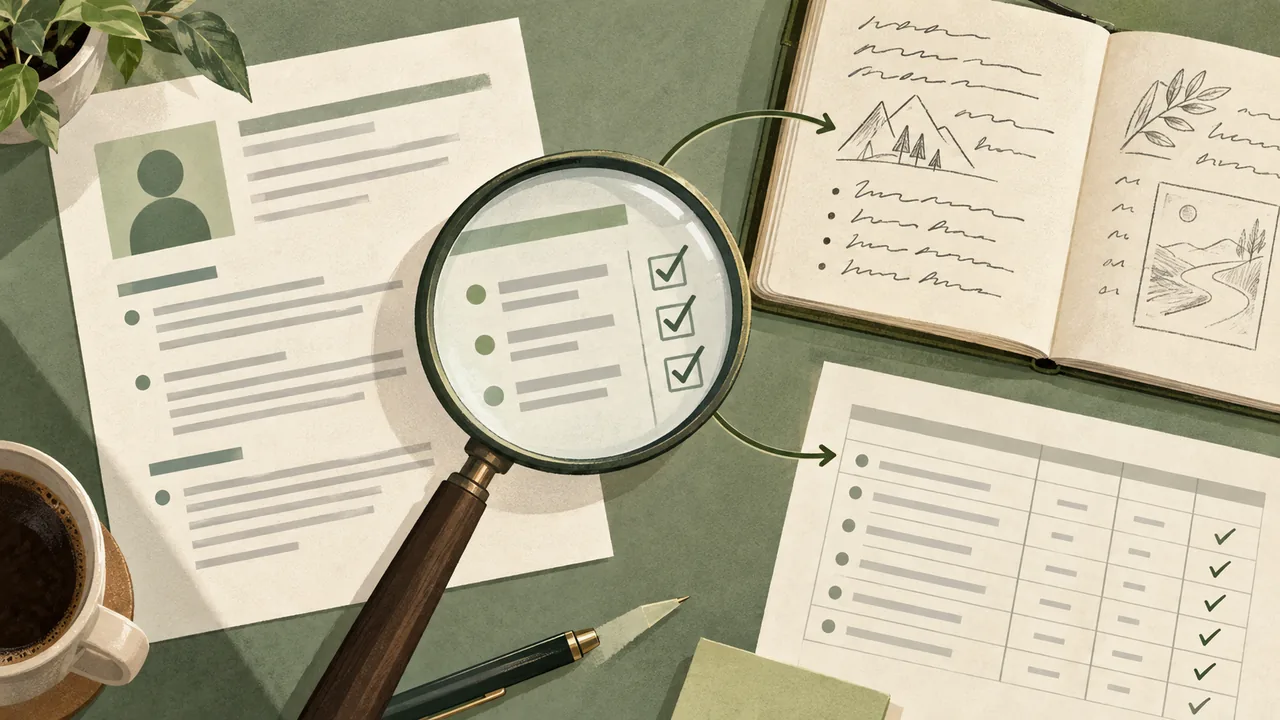
If you are revising a resume, keep the source facts nearby. You can build it in a free resume editor, but the tool you use to format a document does not establish whether its claims are accurate. You do.
If the employer does not ask, do you need to disclose AI use?
No. If the employer neither asks about AI nor states a relevant restriction, don’t invent a disclosure requirement or add an unnecessary note to your application. But absence of a question is not permission to submit false claims, and it doesn’t cancel a rule found elsewhere in the application process.
Check the complete instructions first. A job post may say nothing while a later work-sample prompt sets a strict rule. Or the application may contain a checkbox that appears only after you begin. Read each stage as you reach it. Don’t assume a rule exists, but don’t stop looking after the first page.
If no restriction or disclosure request applies, make the application yours in the substantive sense: the examples are real, the claims are accurate, and you can explain the final wording. You do not need to volunteer a tool history just to pre-empt every possible question. If asked later, answer truthfully then.
This is different from a formal declaration. If the employer asks you to confirm that you prepared a response without AI, or asks you to disclose tools, answer according to the actual use and their definitions. A direct question changes what you need to address.
What to say when you made a mistake
If you discover that you used a tool in a way the instructions prohibited, don’t cover it with a misleading label. The next step depends on whether the material has been submitted and whether the employer offers a way to correct it.
Before submission
- Stop using the restricted tool for the covered task.
- Read the rule again and identify what needs to be redone.
- Write a fresh response from your own notes, without copying the generated version if the instruction requires independent work.
- Check the new response for unsupported claims and accidental carryover.
- If the rule remains unclear, contact the employer before submitting.
After submission
- Save a copy of the instructions and the submitted material for your own records.
- Identify exactly what you did: the tool, the task, and the material affected. Don’t reconstruct details you don’t know.
- Contact the recruiter or process contact promptly if the submission conflicts with an explicit rule or a declaration you made.
- State the mismatch without excuses, then ask whether the employer wants a corrected response or another next step.
- Keep your follow-up factual. Don’t claim that a detector proved anything, and don’t speculate about what the employer will decide.
Hypothetical email:
Subject: Correction to my application response
Hello [Name],
I’m writing to clarify how I prepared the response to [question or exercise]. I used [tool or type of tool] to [specific task]. After reviewing the instructions, I realized this may not have followed the requirement to [briefly name the relevant rule]. I’m sorry for not checking that boundary first. Would you prefer that I submit a replacement response prepared without that assistance?
Thank you,
[Your name]
This example is hypothetical. Replace the bracketed text with facts that are true, and don’t send it if it would misstate what happened. Whether the employer accepts a correction is its decision; a candid note does not guarantee a particular outcome.

How to handle a live interview question
An interviewer may ask how you prepared an application, how you chose a particular example, or whether you used a tool. Answer in a few sentences. Name the task, the assistance, and the judgment you supplied. Then return to the substance of your experience.
A useful structure is:
“I used [tool or type of tool] for [specific task]. I [wrote/revised/checked] the final answer, and I verified that the details about [relevant claim] match my experience. The example I chose was [brief real example].”
This structure isn’t a script to memorize. It is a way to keep your answer factual and concise. If the interviewer asks whether you followed a specific instruction, answer that directly before explaining your process.
If you did not use AI, say so without turning the answer into a claim that you are better than candidates who did. If you did use it, don’t become defensive. A tool’s involvement is one fact about your preparation. Your specific contribution and the truth of the material remain the main issue.
Don’t use the interview to claim that AI use proves you are efficient, innovative, or more qualified. Those are conclusions an interviewer may or may not draw. Explain what happened and let the evidence speak.
Don’t make claims about AI detectors you cannot support
Avoid statements such as “The application is definitely undetectable,” “A detector confirmed that I wrote it,” or “AI detectors never work.” These claims don’t answer what you did, and they can turn a straightforward conversation into an argument about a tool’s reliability.
If an employer raises a concern about AI-generated text, ask which passage or process it is concerned about and respond to the specific issue. Explain your preparation accurately. If a tool was involved, describe how. If you wrote the material yourself, say so and offer relevant drafts or notes only if you have them and it is appropriate to share them. Don’t manufacture a drafting history after the fact.
There is a difference between having a reasonable concern and asserting a technical conclusion. The U.S. Equal Employment Opportunity Commission’s worker guidance describes ways AI can appear in hiring, including resume screening and evaluation of recorded interviews. It also explains that existing federal employment-discrimination protections apply when employers use AI in relevant decisions. That guidance does not establish how any particular employer’s system works or whether a particular piece of applicant writing will be detected. (EEOC: Employment Discrimination and AI for Workers)
Keep the conversation on verifiable ground: the rule, your process, and whether your claims are accurate. If you have a separate concern about how an employer’s technology affects you, use the employer’s stated contact or consult an appropriate adviser. Don’t turn a question about your own use into an unsupported accusation about the employer’s tools.
Protect private information while getting help
Before placing material into a third-party AI tool, consider what you are sharing. A resume or job description can contain personal, confidential, or proprietary information. Remove details that aren’t needed for the task, and check the tool’s privacy terms and the employer’s rules.
Harvard’s guidance specifically cautions applicants not to share personal or proprietary data with generative AI tools. (Harvard FAS: AI for Resumes and Cover Letters)
You can often get useful wording feedback with a smaller, safer excerpt. Replace a company name, client name, email address, phone number, account identifier, or sensitive project detail with a neutral label. Ask for help with the sentence structure rather than pasting an entire confidential file. If the task requires information you are not allowed to share, don’t put it into the tool.
Also check whether a third-party tool stores prompts or uses them under its own service terms. Don’t assume that a conversation is private simply because it is not visible to the employer. If you are unsure, ask your organization’s privacy or security contact before sharing company material.
A practical pre-submission audit
Run this short audit after drafting and before you click submit. It catches more useful errors than another round of polishing.
1. Read the policy once more
Check the exact rule for this stage. Confirm whether it covers brainstorming, grammar checking, drafting, translation, or only final submitted text. Keep the wording of any declaration in view while you answer it.
2. Label your own process
Write a private note with four simple labels: brainstorming, editing, drafting, and submitted unchanged. Mark which ones apply. This prevents a vague memory such as “I just cleaned it up” from replacing what actually happened.
3. Audit factual claims
Underline every statement about responsibility, results, credentials, skills, dates, or tools. For each one, identify what supports it. Remove invented figures, inflated scope, and assumptions the tool added.
4. Read the final material aloud
Listen for wording that does not sound like you, makes a claim you cannot explain, or uses a term you would not use accurately in conversation. Replace it with plain language. This is not about making the application informal; it is about making it defensible.
5. Answer the disclosure question at its actual level
If asked whether you used AI, answer yes or no accurately. If asked how, name the task. If asked whether the work is yours, use the employer’s definition and don’t hide relevant assistance. Don’t add a long explanation to a simple checkbox unless the form requests one.
6. Keep a record when the task is high-stakes
For a take-home assignment or an application with precise rules, retain the instructions and your own drafts if the employer permits it and doing so does not violate confidentiality. A record can help you remember your process. It is not proof of compliance by itself, and you should not present it as more than it is.
Common answers that make the situation worse
“Everyone uses AI now.” This is an unsupported generalization and doesn’t answer whether you followed the employer’s policy. Describe your own process instead.
“It only wrote the first draft.” That may still be drafting. If the question asks whether AI produced text, answer directly and explain what you changed.
“I used it just to polish the answer.” Use this only if it really edited wording you had already written. If it generated the substance or first version, name that role.
“It was just a grammar tool.” That may be accurate for a spelling checker. It is not accurate if the tool created paragraphs or supplied examples. Use a specific description, not a minimizing label.
“I checked the claims, so the policy doesn’t matter.” Fact-checking is necessary, but it does not waive an employer’s restriction on AI assistance. Treat accuracy and compliance as separate checks.
“I didn’t use AI,” when you did. A false answer turns a tool-use question into a trust problem. If you misunderstood what counted, correct the answer when you realize it.
“The detector says it’s human-written.” That doesn’t explain your process. Don’t use a detection score as a substitute for an accurate account.
The best default, and the exception
The best default is straightforward: follow the employer’s stated rules and describe your actual role plainly. Separate brainstorming from editing, editing from drafting, and drafting from unedited generated text. Verify every claim. Never let a generated sentence imply experience you cannot support.
The strongest exception is when no AI disclosure is requested and no relevant restriction is stated. In that case, don’t invent a disclosure requirement. Still read the full instructions, check the facts, and make sure the final application represents your own experience and judgment.
If you need to make the material clearer, start from facts you can stand behind. Choose a readable resume design, or use the free resume editor to organize those facts. The format can help a reader follow your experience. It cannot make an inaccurate claim true.
Frequently asked questions
Should I disclose AI use if the employer doesn’t ask?
Not by default. If you have checked the full instructions and they neither request disclosure nor restrict the kind of assistance you used, you don’t need to add a disclosure on your own. If asked later, answer accurately. Either way, verify every claim and keep the final material true to your experience.
Does using AI to check grammar count as using AI?
It can. The answer depends on the employer’s wording. A rule that asks about any AI or automated writing assistance may include grammar checking; a rule limited to generated answers may draw a different boundary. If the distinction matters and the instructions don’t define it, ask the employer rather than guessing.
Is it dishonest to use AI for a resume or cover letter?
The tool’s involvement alone doesn’t tell the whole story. Follow the employer’s rules, describe your role accurately when asked, and make sure the claims and final meaning are yours to defend. Don’t claim that you wrote unaided if you did not, and don’t use generated language to imply qualifications you lack.
What if I used AI but rewrote every sentence?
Say what happened in concrete terms. If the tool drafted the material and you later rewrote it, describe both steps rather than saying only “I wrote it myself.” Then check whether the employer’s policy permits AI drafting, even when the final wording changes substantially.
What if the employer asks me to complete a test without AI?
Treat the instruction as applying to the test unless the employer clarifies otherwise. Don’t use a tool to brainstorm, draft, edit, or check the answer if the rule prohibits AI assistance generally. If the wording is unclear, ask before you begin.
Can I use AI to tailor a resume to a job description?
Only if the employer’s instructions allow the kind of help you plan to use. Even then, use the tool to identify relevant facts or suggest edits, not to invent experience. Check each revised line against your actual responsibilities and results.
What if I already submitted an answer that broke the rule?
Don’t hide the mismatch if you are asked about it or if you need to correct a declaration. Contact the appropriate process contact, explain what you did, and ask whether a replacement is possible. Be factual; don’t promise yourself a particular outcome.
Should I mention the name of the AI tool?
If the employer asks which tool you used, name it if you know it. If the employer asks only what kind of assistance you used, a clear description of the task may be enough. Never invent a product name or technical detail to sound exact.
What if an AI tool suggested a claim that happens to be true?
You may use a true claim only if it accurately describes your role and you can support it. Verify it independently. A tool’s suggestion is not evidence, even when the wording sounds plausible.
How much detail should my disclosure include?
Enough to answer the question. Usually that means the tool or tool type, the task it performed, and what you personally reviewed or changed. A short answer is better than a long defense, provided it is complete and truthful.